Unlock advanced features and social opportunities on Roblox by learning how to verify your age securely. This comprehensive guide provides step by step instructions on the Roblox age verification process, detailing required documents, privacy protocols, and the benefits of becoming a verified user. Discover how to access exclusive 17 plus experiences and enhanced communication tools like Voice Chat, ensuring a richer, safer gaming environment. Designed for busy adult gamers who seek to maximize their playtime, this resource addresses common concerns, offers troubleshooting tips, and explains why age verification is a game changer for experiencing the platform fully. Dive into the world of Roblox with confidence knowing you can participate in all the latest trends and engage with the community responsibly. Understand the security measures in place to protect your personal information throughout the verification journey, making it a smooth and straightforward upgrade to your Roblox profile. Stay current with platform requirements and make the most of your virtual adventures.
How do I start the age verification process on Roblox?
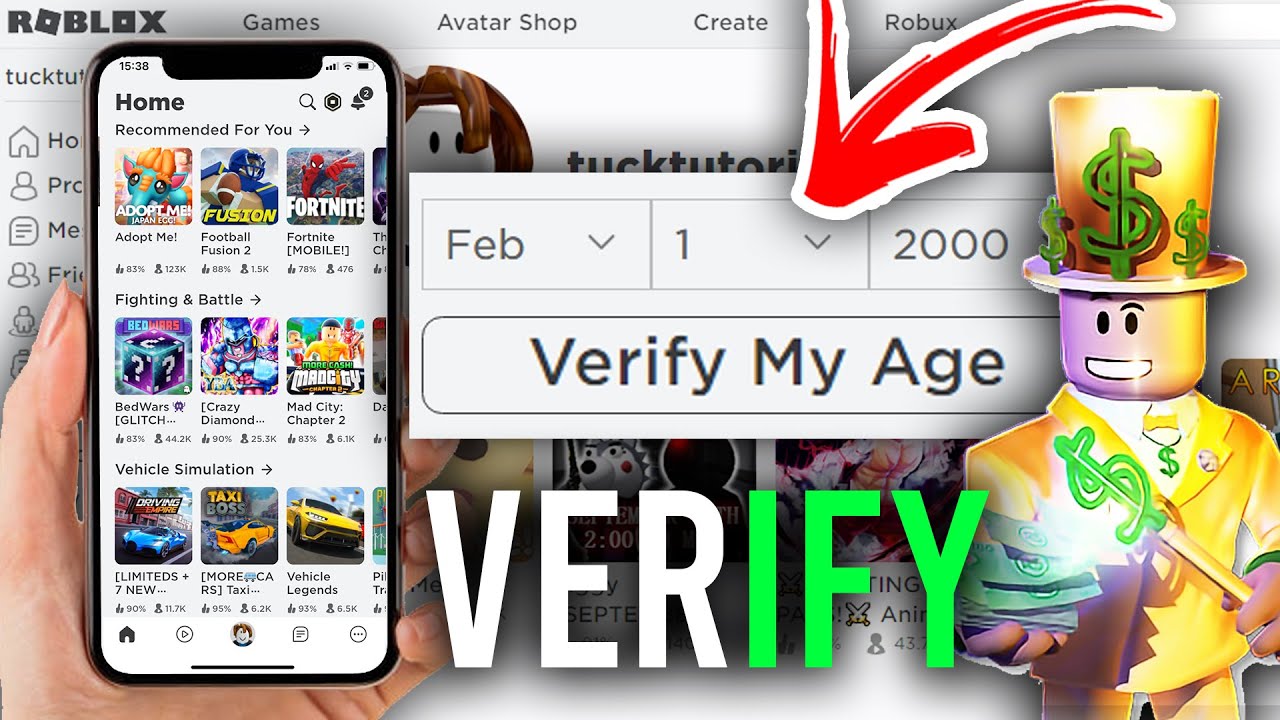
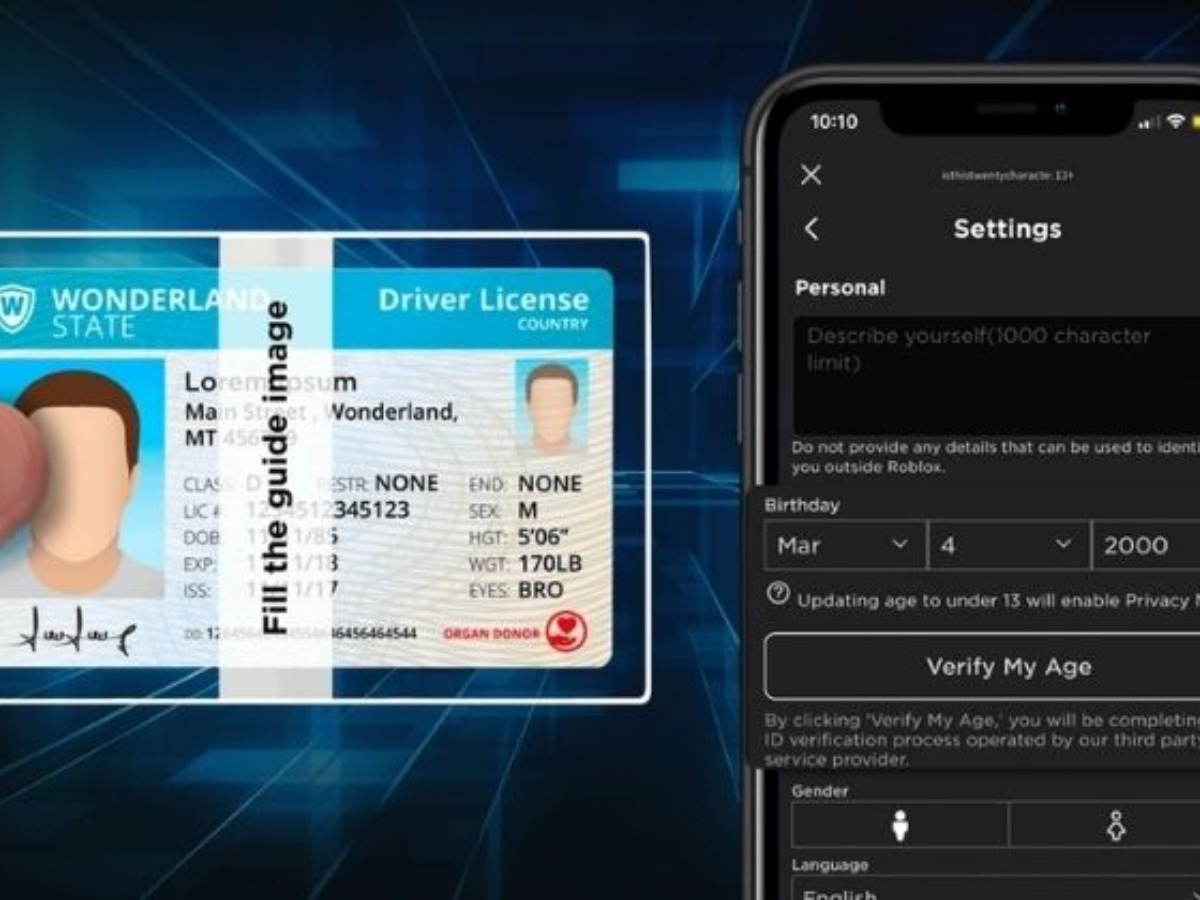
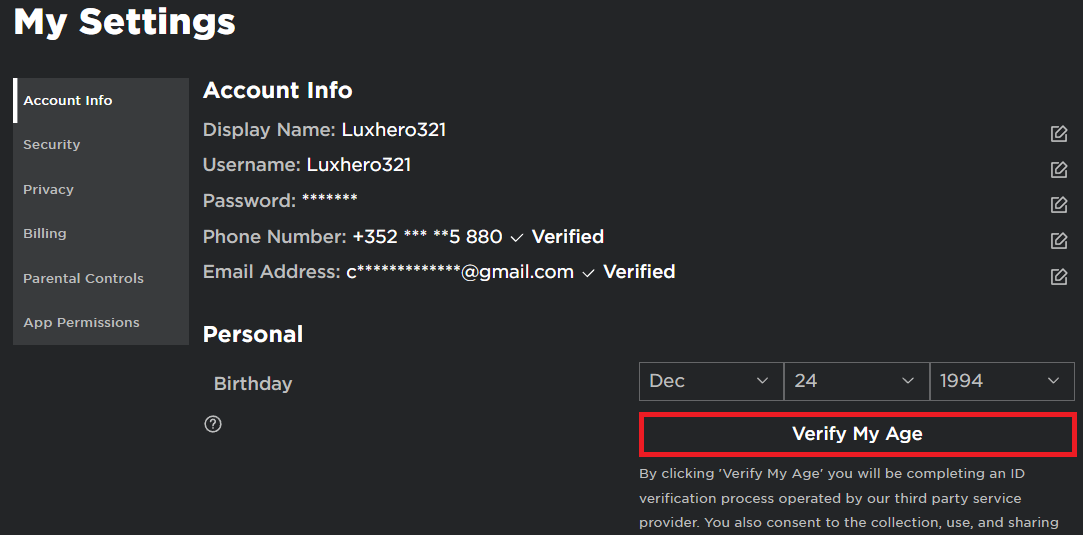
You can initiate the age verification process on Roblox by logging into your account, navigating to 'Settings' under the gear icon, and then selecting 'Verify My Age' within the 'Account Info' tab. You'll then be guided to scan a QR code with your mobile device or proceed directly if you're already on a mobile device to use their trusted third-party verification partner, Persona.
What types of ID are accepted for Roblox age verification?
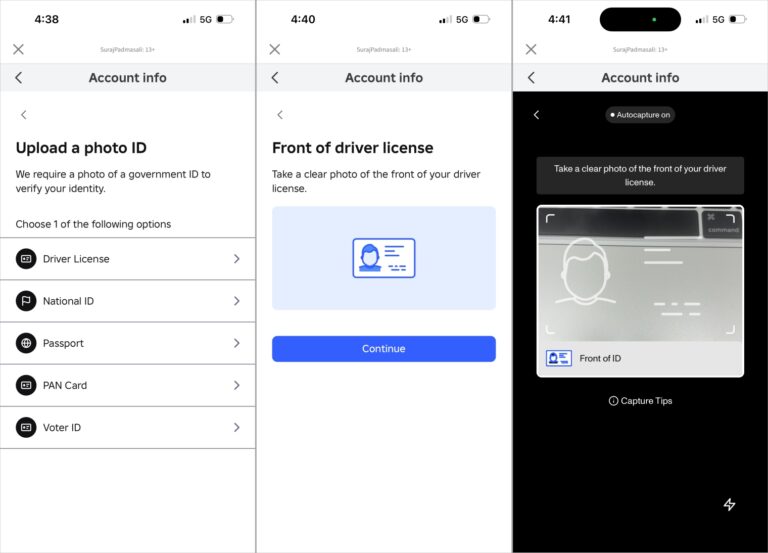
Roblox's age verification system accepts valid, government-issued photo identification. This typically includes a driver's license, a state ID card, or an international passport. The document must be current, not expired, and clearly display your photo, full name, and date of birth for successful verification.
How long does Roblox age verification take?
The Roblox age verification process is designed to be very quick and efficient. After you submit clear photos of your valid government ID and a live selfie, the system usually processes your information and confirms your age within a matter of minutes. You'll receive a notification in the app upon successful completion.
What if my age verification fails?
If your age verification fails, common culprits include blurry ID images, an expired ID, or issues with the liveness check during the selfie. Ensure you have good lighting, a steady hand, and that all details on your ID are perfectly legible. You can usually retry the process after addressing these issues. If problems persist, contact Roblox Support for further assistance.
Can my parents verify my age on Roblox for me?
No, the age verification process on Roblox requires the account holder to use their own valid government-issued ID and take a live selfie for biometric comparison. Parents cannot verify a child's age on their behalf for unlocking 17+ features; the ID must belong to the person whose age is being verified on the Roblox account.
What features become available after I verify my age?
After successfully verifying your age on Roblox, you gain access to two primary features: all 17+ Only experiences, which are games and content designed for mature audiences, and Spatial Voice Chat, allowing real-time voice communication within supported experiences. These features significantly expand the social and content possibilities on the platform.
Is age verification mandatory for all Roblox players?
No, age verification is not mandatory for all Roblox players. You can still access and enjoy a vast majority of Roblox experiences without verifying your age. However, if you wish to participate in 17+ Only experiences or use the Spatial Voice Chat feature, then age verification becomes a necessary step to unlock those specific functionalities.
Hey fellow gamers! Ever felt like you're missing out on some of the coolest, most mature experiences on Roblox? You're not alone. Many of us, especially those balancing gaming with careers and families, find ourselves wanting to dive deeper into our favorite virtual worlds, only to hit a wall when certain features or games are locked behind an age gate. With US gaming stats showing an average gamer age of around 36, and 87% of us playing regularly for 10+ hours a week, it's clear we're not just looking for kid-friendly fun. We want robust social interaction, engaging skill-building, and experiences that resonate with our adult interests.
Roblox has been evolving rapidly, and this month, a huge focus is on expanding content for older audiences. But to access these exciting new 17+ experiences and enhanced social tools like Voice Chat, you need to verify your age. It might sound like a hassle, another hoop to jump through in our already busy lives. But what if I told you it's quick, secure, and opens up a whole new dimension of play that perfectly fits your quest for relaxation, fun, and community? This guide is designed for you: the adult gamer looking to optimize your Roblox experience without the headache. We'll walk through exactly how to verify your age on Roblox, what you need, and why it's worth those few minutes of your time.
Why Verify Your Age on Roblox?
For many adult gamers, Roblox has transitioned from a platform solely for kids to a dynamic hub offering diverse experiences. Verifying your age on Roblox is crucial for unlocking this broader, more mature content. The primary benefits include access to 17+ Only experiences and the ability to use Spatial Voice Chat. These features dramatically enhance social engagement and introduce more complex, skill-based gameplay options. Without verification, you might find yourself limited to a significant portion of the platform's offerings, especially those trending heavily this month which cater to older players looking for deeper narratives or more competitive environments.
What Documents Do You Need for Age Verification?
To successfully verify your age on Roblox, you'll need a valid government-issued photo ID. This isn't just any document; it must clearly show your photo, full name, and date of birth. Common examples that work universally across the US include a driver's license, a state ID card, or a passport. Ensure your document is current and not expired, as expired IDs will not be accepted. Roblox uses a third-party verification service that requires these specifics to confirm your identity accurately and securely.
How Does the Roblox Age Verification Process Work?
The age verification process on Roblox is surprisingly streamlined and typically takes only a few minutes. Here's a step-by-step breakdown:
Log in to Roblox: Access your Roblox account on a mobile device or desktop browser.
Navigate to Account Settings: Click on the gear icon, then select 'Settings'.
Find Age Verification: Under the 'Account Info' tab, locate the 'Verify My Age' button. If you've previously entered an age under 13, you might not see this option initially. Ensure your birthdate is correctly set to at least 13 years old or older.
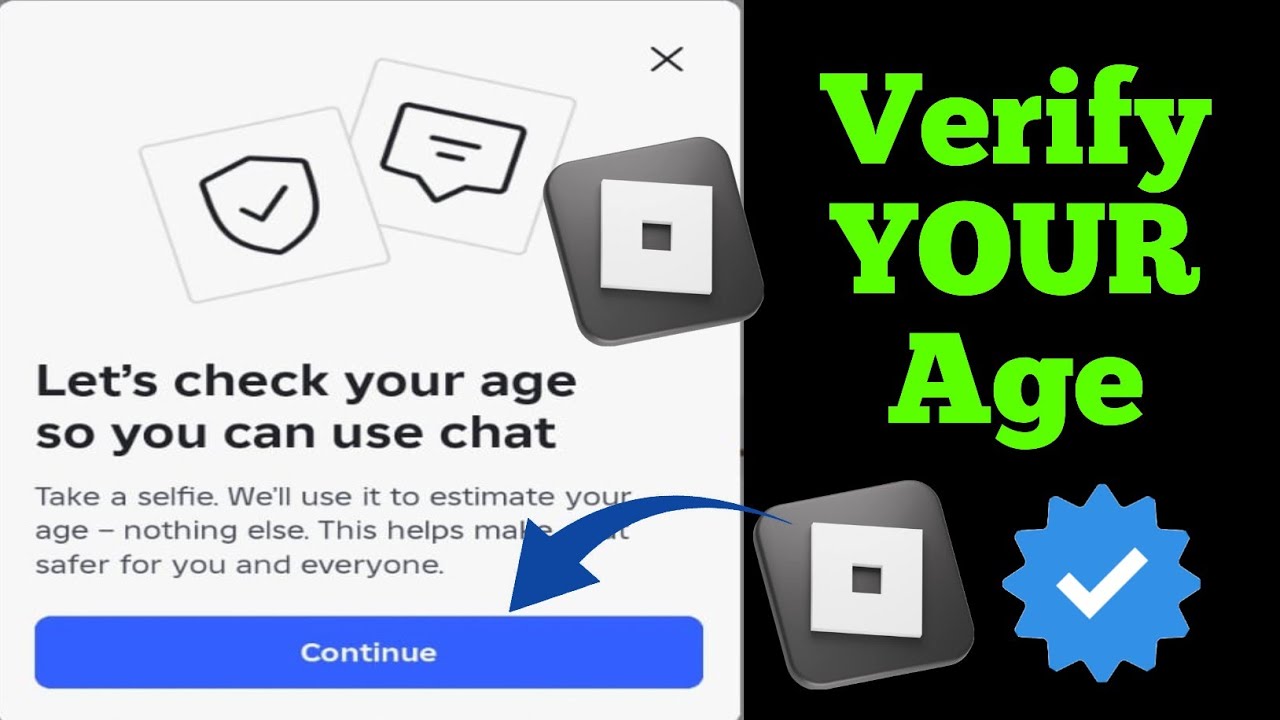
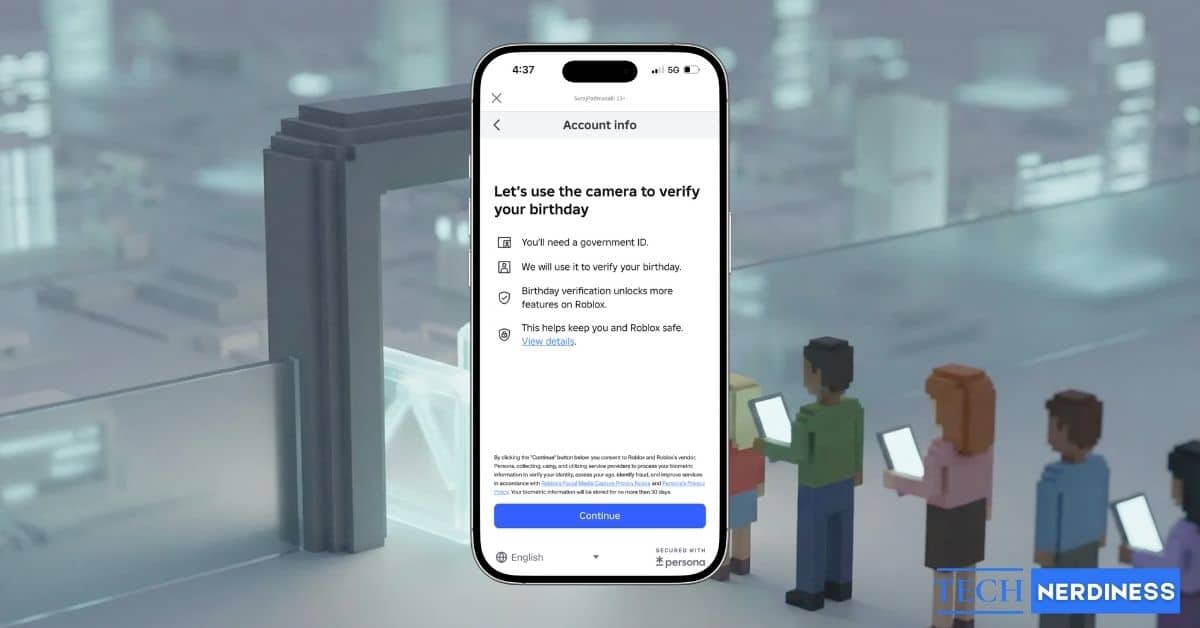
Start Verification: You'll be prompted to scan a QR code with your mobile device or proceed directly if on mobile. This will open a secure browser window with Roblox's verification partner, Persona.
Upload Your ID: Follow the on-screen instructions to take clear photos of the front and back of your government-issued ID. Make sure all information is legible and glare-free.
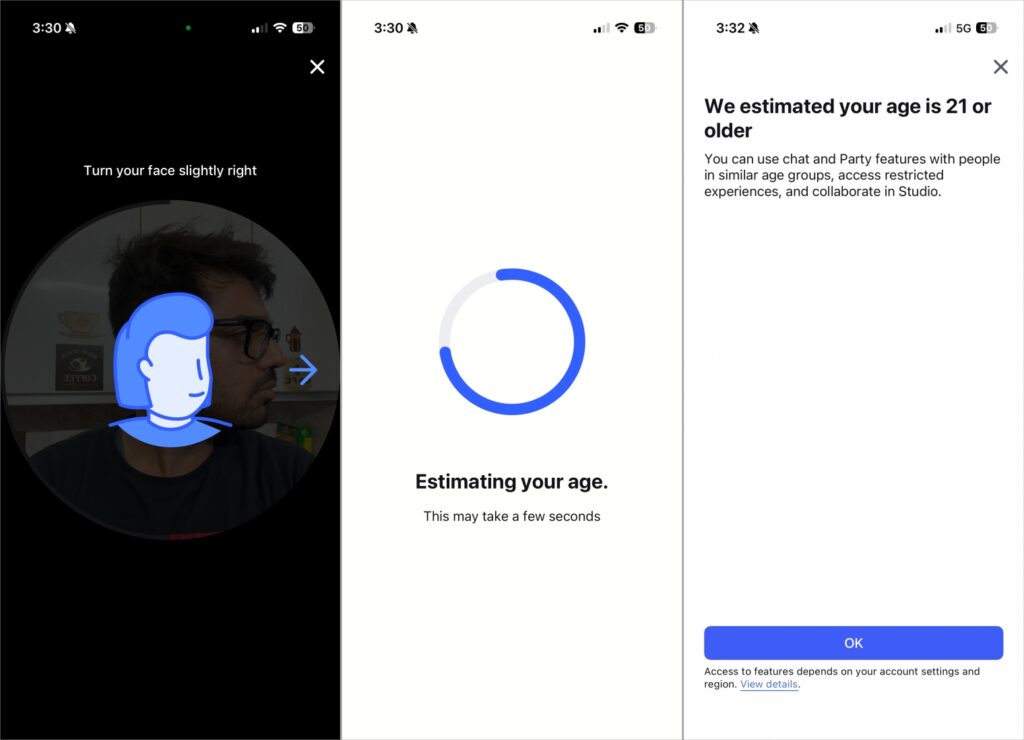
Take a Selfie: You'll then be asked to take a live selfie. This is used for a liveness check and to match your face to the photo on your ID, preventing fraudulent verifications.
Submit for Review: Once both your ID and selfie are submitted, Persona will quickly process the information. In most cases, verification is completed within minutes.
Confirmation: You'll receive a notification within the Roblox app and possibly an email confirming your age verification status. Your age will then be updated on your profile to '17+'.
Is Roblox Age Verification Safe and Private?
This is a major concern for many of us who value our digital privacy, and rightly so. Roblox partners with Persona, a leading identity verification service known for its robust security protocols. Here's what you need to know:
Data Encryption: All your personal information, including ID scans and selfies, is encrypted during transmission and storage.
Limited Data Retention: Roblox states that Persona does not store your raw government ID or facial scan data long-term. They primarily use it to create an anonymous data value that confirms your age and then delete the original biometric data.
Purpose-Limited Use: The data collected is strictly for age verification and identity confirmation, not for marketing or other unrelated purposes.
No Sharing: Your sensitive identification details are not shared directly with Roblox itself. Roblox only receives a confirmation that your age has been verified.
These measures ensure that while the process requires sensitive information, it's handled with a high degree of care and privacy, which is essential for busy adults who want peace of mind while gaming.
What Features Unlock After Age Verification?
Once your age is successfully verified, your Roblox experience levels up significantly. The most notable unlocks are:
17+ Only Experiences: Gain access to a growing library of games and experiences specifically designed for mature audiences. These can include more complex themes, advanced mechanics, and social interactions not suitable for younger players. This aligns perfectly with the trend of more immersive, story-driven, and skill-based games that adult players often seek for their limited gaming time.
Spatial Voice Chat: Engage in real-time voice communication within supported experiences. This allows for a more dynamic and engaging social experience, similar to using Discord with your gaming buddies, but directly integrated into the game. It fosters deeper connections and cooperative play, which is a big draw for many US gamers who enjoy the social aspect of online gaming.
Troubleshooting Common Roblox Age Verification Issues
Even with a smooth process, sometimes things can go wrong. Here are some common issues and how to resolve them:
Blurry ID Image: Ensure you are in a well-lit area and hold your ID steady. The entire document, especially text, must be crystal clear. Avoid glare from lights or windows.
Expired or Invalid ID: Double-check that your government-issued ID is current and recognized. Passports, driver's licenses, and state ID cards are generally accepted.
Liveness Check Failed: When taking your selfie, make sure you're in a brightly lit environment and looking directly at the camera. Remove anything obscuring your face (hats, glasses if they cause glare). Follow any on-screen prompts like turning your head slightly.
Internet Connection Issues: A stable internet connection is vital for uploading images. If you're on Wi-Fi, ensure it's strong; if on mobile data, check your signal.
Age Mismatch: If your Roblox account's birthdate doesn't align with your ID, ensure you update your Roblox profile settings first (if possible) or contact Roblox Support if there's a significant discrepancy you cannot fix.
Using an Unverified Device: While rare, sometimes using a different device for the verification steps can resolve an issue. Try completing the process on your phone if you started on a PC, or vice versa.
If you encounter persistent issues, reaching out to Roblox Support is always an option. They can provide specific guidance based on your account status.
Are There Alternatives to Verifying My Age on Roblox?
Currently, the only official way to unlock 17+ experiences and Spatial Voice Chat on Roblox is through their direct age verification process using a government-issued ID and selfie. There are no alternative methods or workarounds provided by Roblox for accessing these specific features. While you can continue to enjoy a vast array of general Roblox games without age verification, these premium, mature features remain exclusive to verified accounts. Any third-party sites or services claiming to offer alternative verification methods should be avoided, as they are likely scams and could compromise your account security.
How to Enjoy Roblox Safely After Verification?
Congratulations, you're now a verified Roblox gamer! This opens up new avenues for fun, but staying safe and savvy is still key, especially as an adult balancing life and leisure. With access to 17+ experiences and Voice Chat, remember these tips:
Utilize Privacy Settings: Even with verification, review your Roblox privacy settings. Control who can message you, chat with you, and follow you. Tailor these to your comfort level.
Report Inappropriate Content: If you encounter anything that violates Roblox's Community Standards in a 17+ experience or Voice Chat, use the reporting tools. You're part of making the community better.
Balance Your Playtime: As adult gamers, we know the struggle of balancing fun with responsibilities. Set realistic play limits. Roblox is great for quick bursts of relaxation or longer social sessions, but always keep your work and family commitments in mind.
Explore New Genres: With 17+ access, branch out! Look for experiences with deeper lore, strategic gameplay, or unique social dynamics. This month's trends often highlight creative new uses of the platform for older players.
Connect with Like-Minded Players: Use Voice Chat to connect with other adults who share your interests. Many gaming communities thrive on platforms like Discord alongside Roblox, offering avenues for finding mature groups to play with.
Roblox is a fantastic platform for unwinding and connecting, and age verification simply broadens those horizons responsibly.
Conclusion
There you have it! Verifying your age on Roblox is a straightforward process that unlocks a world of enhanced experiences and social opportunities tailored for adult gamers. It's about more than just a number; it's about accessing the content you want, engaging with a community that fits your style, and doing it all securely. In an era where mobile gaming dominates and social play is paramount, taking these few minutes to verify your age can significantly improve your overall experience, allowing you to truly unwind and build skills or friendships on your terms. So go ahead, unlock those 17+ worlds and dive into Voice Chat. Your next great gaming adventure awaits!
What's your biggest gaming challenge on Roblox after age verification? Comment below!
FAQ Section
What specific benefits do I get from Roblox age verification?
Age verification on Roblox primarily unlocks access to all 17+ Only experiences, which are tailored for mature audiences, and enables the use of Spatial Voice Chat for real-time communication within supported games. These features enhance social interaction and provide a broader range of content options for adult players seeking more engaging and complex gameplay.
Is my personal data safe during the Roblox age verification process?
Yes, Roblox partners with Persona, a trusted third-party identity verification service. Persona uses robust encryption to protect your data, only retains minimal, anonymized information for verification, and does not share your raw government ID or biometric data with Roblox itself, ensuring your privacy is maintained.
How long does it take for Roblox to verify my age?
The age verification process on Roblox is typically very fast. Once you've successfully uploaded your government-issued ID and taken the live selfie, the system usually processes and confirms your age within a few minutes. You'll receive an in-app notification confirming your status.
What should I do if my Roblox age verification fails?
If your age verification fails, check for common issues like blurry ID images, an expired ID, or poor lighting during the selfie. Ensure your Roblox account's birthdate aligns with your ID. If problems persist, try again with clearer images or contact Roblox Support for assistance, providing details of the error.
Can I verify my age on Roblox if I don't have a government ID?
No, Roblox age verification strictly requires a valid government-issued photo ID such as a driver's license, state ID card, or passport. There are currently no alternative methods for age verification using other types of documents or parental consent mechanisms for unlocking the 17+ features.
Do I need to pay to verify my age on Roblox?
No, the age verification process on Roblox is completely free of charge. You do not need to pay any fees to upload your ID and verify your age to gain access to 17+ experiences and Spatial Voice Chat. It's a standard, complimentary feature provided by Roblox.
Roblox age verification unlocks 17 plus experiences and Voice Chat. The process involves uploading a valid government issued ID and taking a selfie. Verification typically takes minutes, ensuring quick access to new features. Your privacy is protected with advanced encryption and data deletion protocols. Common issues like blurry images or ID mismatches can be easily resolved. This guide helps adult gamers maximize their Roblox experience safely and efficiently. Age verification enhances social interaction and access to a broader range of content.
35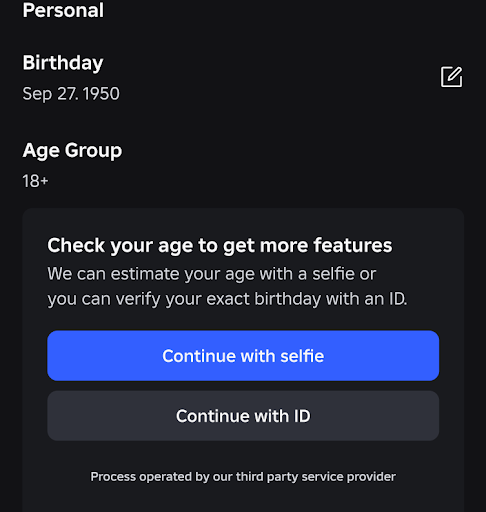


Roblox Age Checks For Chat Explained How The New Rules Work Roblox Id Age Check . How To Verify Your Age On Roblox Full Guide YouTube . How To Verify Your Age On Roblox Roblox Age YouTube . How To Verify Your Age On Roblox Using National ID Verify Roblox Age . How To Verify Your Age And ID On Roblox In 2026 Guide Tech Nerdiness Under Birthday Tap Continue Select The ID Type That Matches Yours Then Align The ID Within The On Screen Grid


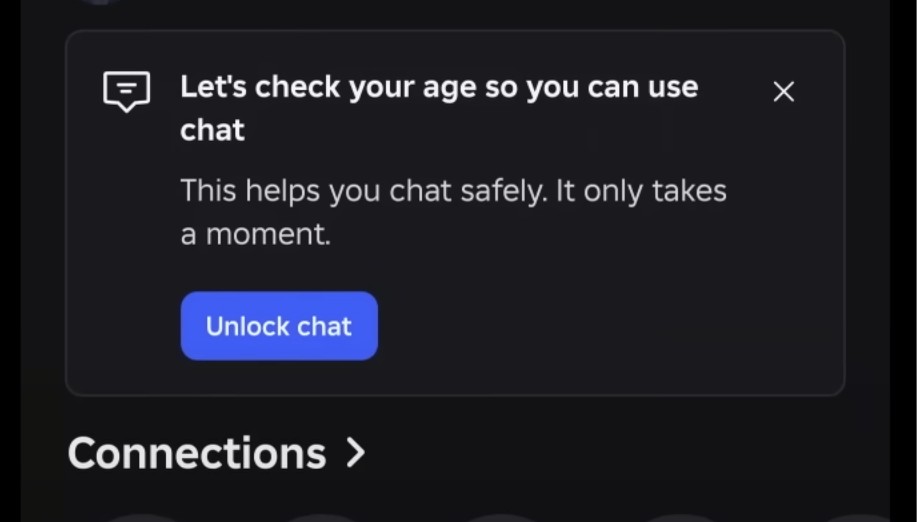

How To Get Verified On Roblox In Depth Guide V4 460px 14414001 6 . How To Verify Your Age On Roblox Quick Easy YouTube . How To Verify Your Age On Roblox In 2022 Easy Guide Beebom Roblox Age Box . Roblox Age Checks For Chat Explained How The New Rules Work Roblox Age Check Camera . How To Verify Your Age On Roblox Easy Guide YouTube

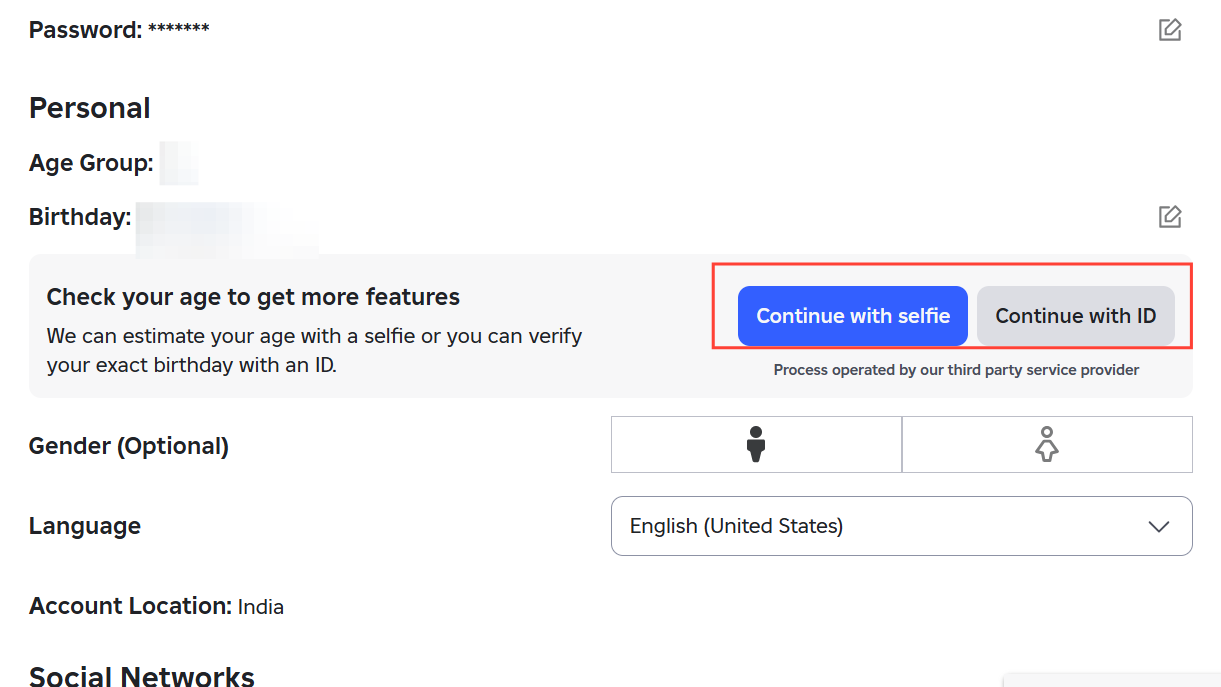

Ultimate Roblox Age Guide March 2026 Safety First Roblox Age Guide . How To Verify Your Age On Roblox Without ID Or Passport Verify Roblox . Roblox Age Checks How Re Really Works And When You Re Stuck Image 781 1 . How To Verify Your Age On Roblox Full Guide YouTube . How To Unlock Chat Age Trusted Connections On Roblox Roblox Chat Age Trusted Connections Guide To Who Each Age Group Can And Cannot Chat With. Age Checked Users 13 Can Chat Freely With Trusted Connections


How To Change Your Age On Roblox After The Chat Update Change Your Age On Roblox After The Chat Update . How To Verify Your Age On Roblox In 2022 Easy Guide Beebom Start Session . How To Verify Your Age On Roblox In 2022 Easy Guide Beebom Verified . How To Change Your Age On Roblox After The Chat Update Screenshot 9698 . How To Verify Your Age On Roblox Roblox Age Check 2026 YouTube




Roblox Age Processes TikTok Img. How To Verify Your Age And ID On Roblox In 2026 Guide Tech Nerdiness Roblox Age . Roblox Age Guide Chat Voice Safety Explained How To Verify Age On Roblox . How To Verify Your Age And ID On Roblox In 2026 Guide Tech Nerdiness Go To Settings And Tap Account Info In Roblox App . How To Verify Your Age On Roblox 2026 Unlock Voice Chat

HOW TO VERIFY YOUR AGE ON ROBLOX TO ENABLE VOICE CHAT 2022 YouTube . How To Verify Your Age And ID On Roblox In 2026 Guide Tech Nerdiness Roblox ID 768x553 . Roblox 2026 How Can Players Get Verified 2 Verify Age. How To Verify Your Age And ID On Roblox In 2026 Guide Tech Nerdiness How To Verify Your Age And ID On Roblox . How To Verify Your Age And ID On Roblox In 2026 Guide Tech Nerdiness Tap Continue To Open The Camera Hold Still Then Slowly Turn Your Head From Left To Right 1024x740


How To Change Age On Roblox A Step By Step Guide For Account 15468 . How To Change Your Age In Roblox Dexerto How To Change Your Age In Roblox 1024x576 . How To Verify Your Age On Roblox In 2022 Easy Guide Beebom Verify My Age Button . How To Redo Roblox Age Check After The Latest Update Image. How To Change Your Age On Roblox Step By Step Guide 2026 YouTube