Ever wondered how to refresh your look on Roblox or curious about the latest avatar customization options available? This comprehensive guide dives deep into how to change clothes on Roblox, covering everything from accessing the Avatar Editor to utilizing the newest layered clothing features. We explore how to find free items, purchase Robux-exclusive apparel, and save your favorite outfits. Understanding the Roblox avatar system is key to expressing your unique style within the platform's vast virtual worlds. This article provides navigational insights for both new and experienced players, ensuring you can master your character's appearance. Stay ahead of the trend by learning the ins and outs of Roblox fashion today.
Hey there, fellow Robloxian! Ever scratched your head wondering how to totally revamp your avatar's style, or what the latest fashion trends are in the metaverse? You're not alone! Roblox's world of customization is constantly evolving, with new items, features, and ways to express yourself popping up all the time. This isn't just a basic guide; consider this your ultimate living FAQ, updated for the latest patches and covering everything you need to know to make your avatar truly shine in 2024. We'll tackle common questions, dive into pro tips, and even peek into some bugs and advanced tricks, ensuring you're a Roblox fashion expert!
Most Asked Questions about How to Change Clothes on Roblox
Beginner Questions
How do I access the Avatar Editor on Roblox?
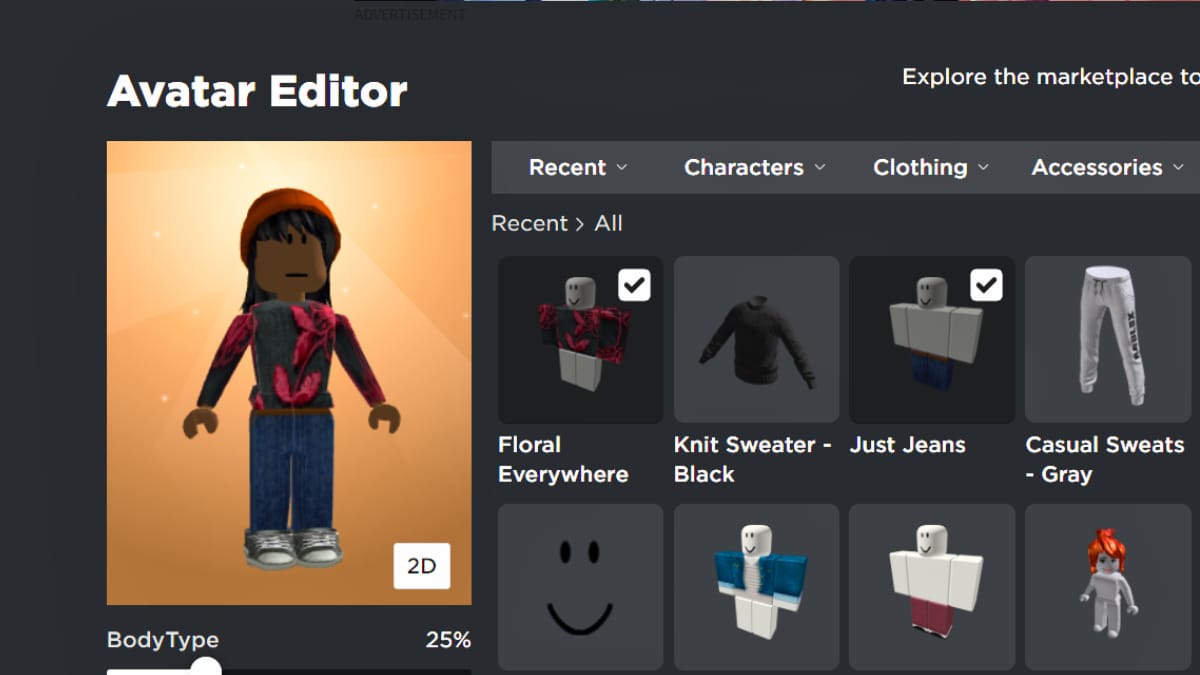
To access the Avatar Editor, simply log into your Roblox account on the website or mobile app. On the website, look for 'Avatar' in the left-hand menu. On mobile, tap the three dots icon (More) and then select 'Avatar'. This is your central hub for all character customization.
What are the basic steps to change a shirt or pants?
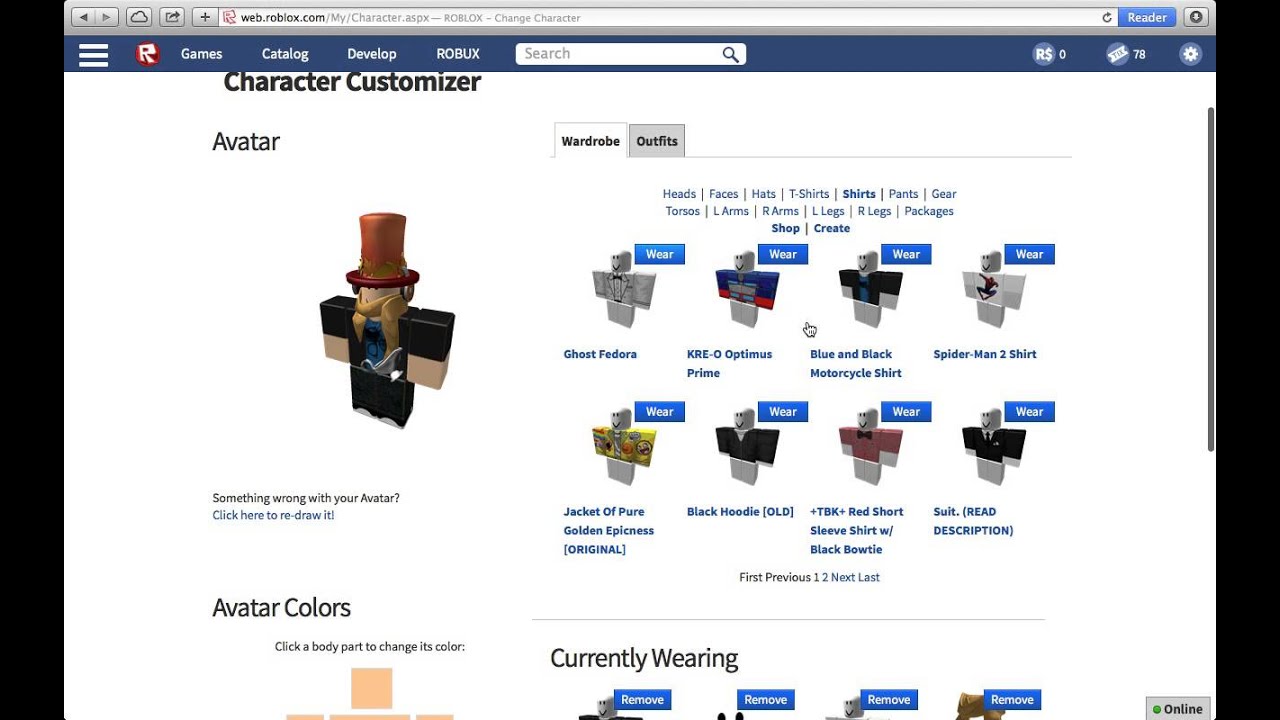
Once in the Avatar Editor, navigate to the 'Clothing' tab. Select 'Shirts' or 'Pants' from the sub-menu. Your owned items will appear. Simply click on the item you wish to wear, and your avatar will instantly update. You can remove items by clicking them again.
Can I change my avatar's skin tone or face?
Yes, absolutely! Within the Avatar Editor, go to the 'Body' tab. Here you'll find options for 'Skin Tone' to select your desired color and 'Head' or 'Face' to choose different looks. This allows for deep personalization beyond just clothing.
How can I find free clothing items in the Avatar Shop?
To find free items, go to the Avatar Shop. In the 'Price' filter section, either select 'Free' or adjust the slider to '0 Robux'. This will display all currently available free shirts, pants, and accessories. Always check regularly for new free offerings.
Tips & Tricks
What's the best way to save and switch between outfits?
Use the 'Outfits' feature in the Avatar Editor! After creating a look you love, click 'Create New Outfit' to save it. You can then quickly switch between your saved styles with a single click, making wardrobe management super efficient.
Are there tricks to layering clothing without it looking glitchy?
For seamless layering, choose items with varying volumes (e.g., a slim base shirt under a baggy jacket). Experiment with items designed by the same creator, as they often fit together well. Always rotate your avatar in the preview to check for clipping from all angles.
How can I customize my avatar's body shape or proportions?
In the Avatar Editor, under the 'Body' tab, explore 'Body Parts' and 'Scale'. You can adjust individual body segments like arms and legs, or use the 'Scale' sliders to modify overall height and width, giving your avatar a unique silhouette.
Bugs & Fixes
My purchased item isn't showing up, what should I do?
First, refresh the Avatar Editor or restart the Roblox app. Often, there's a slight delay. If it's still missing after an hour, try clearing your browser's cache or reinstalling the app. If the issue persists, contact Roblox Support with your transaction details.
Why does my layered clothing sometimes clip through other items?
Clipping with layered clothing can occur due to item design or avatar proportions. Try adjusting your avatar's body scale slightly in the 'Body' section of the editor. Some layered items simply don't combine well; experiment with different clothing combinations to find compatible pieces.
Endgame Grind
How can I design and upload my own custom clothing for Roblox?
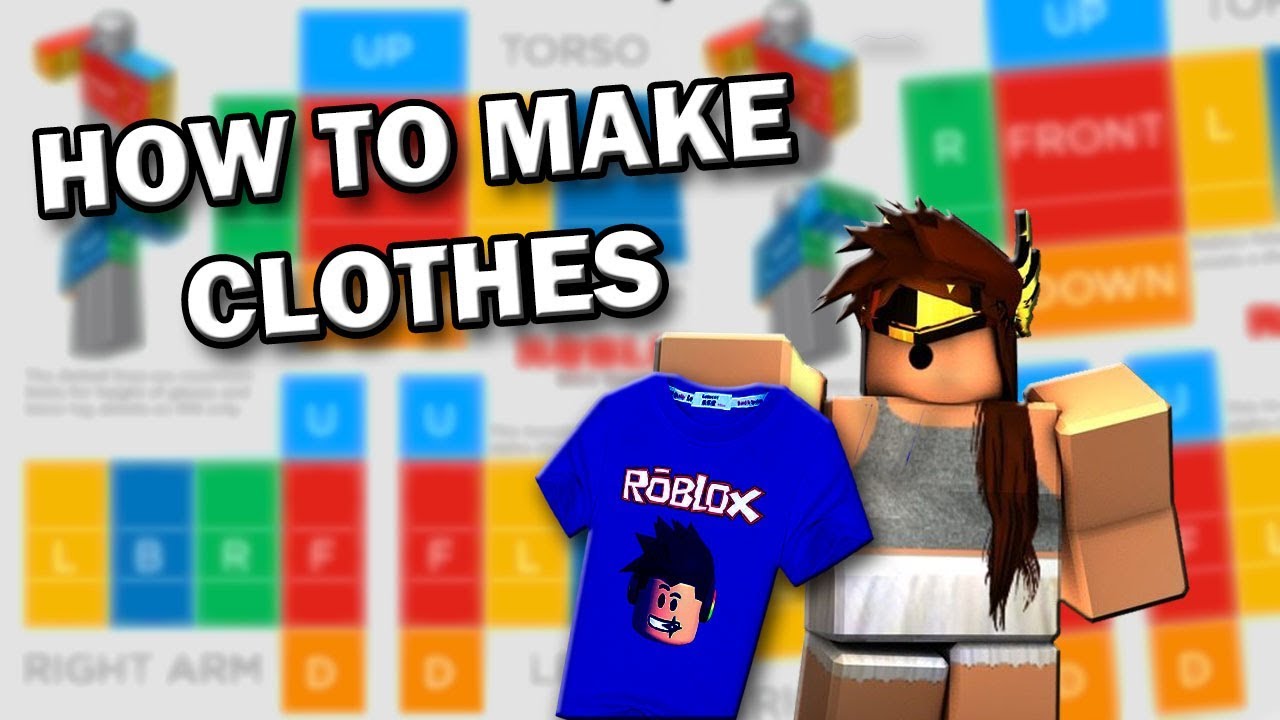
To design your own 2D shirts/pants, you need Roblox Premium. Download templates from the Roblox Developer Hub, use an image editor to create your design, and upload it via the 'Create' section on the Roblox website. For 3D layered clothing, 3D modeling skills and Roblox Studio are required.
What are some advanced tips for maximizing my avatar's visual appeal?
Beyond clothing, consider matching animation packs to your aesthetic, utilizing dynamic facial expressions (if available for your head), and thoughtfully combining accessories across different slots. Pay attention to color palettes and texture coherence to create a truly cohesive and striking look.
Still have questions?
Check out our other guides like "Best Roblox Games for Customization" and "Understanding Robux: A Player's Guide" for more insights into the Roblox universe!
Changing clothes on Roblox is all about making your avatar truly yours, a digital reflection of your creativity and personality. It's super easy to get started with the Avatar Editor, where you can swap out shirts, pants, and even try on the cool new 3D layered clothing that makes everything look so much more realistic. You can snag awesome free items if you know where to look in the Avatar Shop, or dive into the huge world of user-created content to find something truly unique. Don't forget to save your favorite outfit combos so you can switch up your style in a snap. Ultimately, it’s about having fun and expressing yourself in countless imaginative ways within the Roblox universe. It truly transforms how you interact and represent yourself in every game!
Hey fellow Robloxians! Have you ever stood in front of your screen, looking at your avatar, and thought, "How exactly do I change clothes on Roblox and really make my character stand out?" It's a common question, and honestly, with all the updates, keeping your look fresh can sometimes feel like a mini-quest in itself. But don't you worry, because we're diving deep into the magical world of Roblox fashion, making sure you're geared up with all the knowledge to transform your avatar into a true trendsetter in 2024. We'll cover everything from the basic wardrobe swaps to the cutting-edge layered clothing, ensuring your virtual self is always rocking the latest style.
Understanding your Roblox avatar is more than just picking a shirt; it is about expressing your unique personality in a vibrant digital universe. The platform consistently introduces new features and items, allowing for unparalleled creativity. This guide will walk you through the process step-by-step, whether you are on a computer or using the mobile app. We'll explore where to find the Avatar Editor, how to navigate its many options, and even some clever tricks for acquiring stylish apparel without breaking the bank. So, let us get started on this exciting journey of avatar transformation together, making sure your Roblox presence is as dynamic as you are.
The Core of Customization: Where Your Style Journey Begins
Getting started with changing your avatar's clothes on Roblox is surprisingly straightforward once you know where to look. The main hub for all your fashion needs is the Avatar Editor, which you can access directly from the Roblox website or app. This is where all the magic happens, allowing you to mix and match various items to craft your perfect look. It is your personal dressing room, filled with endless possibilities and opportunities to showcase your creative flair in the game. You can literally spend hours here, just experimenting with different combinations.
The Avatar Editor organizes your clothing options into clear categories such as 'Clothing,' 'Body,' and 'Accessories,' making it easy to find specific items. Within 'Clothing,' you will discover sub-sections for shirts, t-shirts, pants, and the exciting new layered clothing. This intuitive layout ensures that even newcomers can quickly grasp how to navigate their inventory. The system is designed to be very user-friendly, providing a smooth experience as you customize your character. Remember, your avatar is often the first thing other players see, so make it count.
The Evolution of Roblox Fashion: Embracing Layered Clothing
Roblox fashion has come a long way from simple 2D textures. The introduction of **Roblox layered clothing** has truly revolutionized how avatars look and feel, allowing for much more realistic and detailed outfits. This innovative feature enables clothing items to drape and stack on your avatar's 3D body, creating dynamic and intricate looks that were previously impossible. It is a game-changer for creativity, giving designers and players alike far greater freedom to express themselves through their virtual attire. This update fundamentally changes the visual fidelity of character customization.
With layered clothing, you can combine different jackets, sweaters, and even skirts in ways that feel natural and authentic to real-world fashion. This adds incredible depth to your avatar's appearance, moving beyond the flat textures of old. It is important to know how to use this feature effectively, as it opens up a whole new world of stylistic possibilities for your character. Experimenting with various layered items can yield some truly unique and eye-catching combinations, setting your avatar apart from the crowd. This is truly an exciting time for Roblox fashion enthusiasts worldwide.
Mastering the Avatar Editor: Essential Tips and Tricks
Becoming a pro at customizing your Roblox avatar involves more than just selecting items; it is about understanding the nuances of the **Roblox avatar editor tips**. This powerful tool has many hidden gems and shortcuts that can streamline your styling process, helping you create stunning outfits in less time. Learning these tips can dramatically improve your customization efficiency and the overall quality of your avatar's appearance. Many players overlook these smaller details, but they can make a significant difference to your final look.
One key tip is to utilize the "Outfits" feature, which allows you to save your favorite combinations and switch between them instantly. This saves you the hassle of recreating a look every time you want to wear it. Another trick is to use the search bar within your inventory to quickly locate specific items, especially if you have a vast collection. Paying attention to colors and textures also helps, as they play a huge role in creating a cohesive and appealing look. These small adjustments and practices will make your avatar truly shine.
Getting Started: Finding Free and Affordable Apparel
Let us be real, who doesn't love a good deal, especially when it comes to expressing your style? Many players actively search for **Roblox free outfits 2024**, and thankfully, Roblox frequently offers a plethora of free items that can seriously boost your wardrobe without spending a single Robux. These items often come from events, promotions, or are simply made available by talented creators in the Avatar Shop. It is all about knowing where and when to look for these fantastic opportunities and snagging them before they disappear. Staying updated on announcements is crucial here.
To find free items, regularly check the Avatar Shop and filter by "Price (Low to High)" to instantly spot zero-Robux offerings. Keep an eye on Roblox's official social media channels and blog for announcements about new free event items or collaborations. Participating in special events within games can also reward you with exclusive free gear. Even if you have Robux, mixing in free items can add unique flair to your outfits, making your style both distinctive and budget-friendly. Don't underestimate the power of a well-chosen free accessory; it can truly complete a look.
The Constant Evolution: Roblox Character Customization Update
Roblox is a living, breathing platform, constantly evolving, and that includes its character customization system. The **Roblox character customization update** is an ongoing process, with developers continually introducing enhancements that give players more control and options over their avatars. These updates often bring new body types, facial features, and advanced layering capabilities that push the boundaries of virtual self-expression. Keeping up with these changes ensures you are always leveraging the latest tools to craft your perfect persona. Many updates are rolled out without much fanfare.
Recent updates have focused on expanding the layered clothing system, introducing more dynamic hair options, and improving the overall fidelity of avatar rendering. This means your avatar can look more realistic and stylized than ever before, reflecting a wider range of aesthetics. Developers also release new animation packages and emotes that add personality to your movements. Regularly checking the Roblox Developer Blog and official announcements will keep you informed about these exciting advancements, helping you stay at the forefront of Roblox fashion and design. It is all about embracing progress and innovation.
Navigating the Avatar Editor on Different Devices
Whether you are on a powerful gaming PC or a convenient mobile phone, changing clothes on Roblox is an accessible experience, though the interface might slightly differ. Understanding these distinctions is crucial for a smooth customization process across all your devices. The core functionality remains consistent, allowing you to manage your inventory and apply new items effortlessly. This flexibility ensures that you can always update your avatar, no matter where you are playing the game. It is designed for maximum convenience and user accessibility.
On PC, you will access the Avatar Editor via the main Roblox website, offering a larger screen and easier navigation through menus. Mobile users, however, will use the Roblox app, where the Avatar Editor is integrated directly. While the layout may be more compact, all the essential features are still there, simply optimized for touchscreens. Taking a few moments to familiarize yourself with each version will make switching between devices seamless, ensuring your style game is always strong. Both platforms offer robust customization.
A Deep Dive into Roblox Avatar Change: Beyond the Basics
So, you know how to swap a shirt, but what about the more intricate details that truly define a unique avatar? A comprehensive **Roblox avatar change** involves more than just clothing; it includes adjusting body parts, skin tones, animations, and even creating custom outfits from scratch. This level of detail allows you to fine-tune every aspect of your character, transforming them into a one-of-a-kind digital representation of yourself or any persona you envision. It is a canvas for your imagination, ready for your artistic touch. The possibilities are truly endless here.
Explore the 'Body' section in the Avatar Editor to change your character's proportions, head, face, and even select different animation packages that alter how your avatar moves. Mix and match accessories like hats, glasses, wings, and more, layering them creatively. For those with Robux, the Avatar Shop offers a vast collection of unique items created by the community. You can even design and upload your own clothing if you have a Premium subscription, taking customization to the ultimate level. This depth ensures that every avatar can be truly unique and personal to each player.
User-Generated Content: The Heart of Roblox Fashion
One of the most exciting aspects of Roblox fashion is the incredible volume of user-generated content (UGC). Talented creators from around the world design and upload thousands of unique clothing items and accessories every day. This vibrant community contribution means there is always something new and innovative to discover in the Avatar Shop. It is a testament to the platform's open nature, empowering creative individuals to shape the virtual fashion landscape. This truly sets Roblox apart from many other gaming platforms today.
Supporting UGC creators not only enriches your personal wardrobe but also fuels the creative economy within Roblox. By purchasing items, you are directly contributing to the community and encouraging more designers to produce amazing content. Always browse the "Community Creations" section in the Avatar Shop to see what's trending and find hidden gems. This collaborative environment ensures a diverse and ever-evolving fashion scene, giving players endless options for personal expression. Jump in and find your next favorite outfit today.
Q&A: Your Roblox Avatar Customization Questions Answered!
It's easy to feel a little overwhelmed with all the customization options available in Roblox, isn't it? I totally get why this confuses so many people, especially with how much the platform changes. But don't you fret! We've put together some common questions and detailed answers to help you navigate your avatar's wardrobe like a seasoned pro. Consider this your friendly chat over coffee about all things Roblox fashion!
Beginner / Core Concepts
1. **Q:** I'm brand new to Roblox. How do I even start changing my avatar's clothes?
**A:** Welcome aboard, new friend! It's super simple to get your avatar looking just right, and honestly, this one used to trip me up too when I first started. The easiest way to begin is by heading to the Avatar Editor. You can find this on the Roblox website or within the app. Just look for the 'Avatar' icon on the left-hand navigation bar if you're on a computer, or tap the three dots (More) then 'Avatar' on mobile. Once you're in, you'll see your current avatar and various categories like 'Clothing,' 'Body,' and 'Accessories.' Clicking on 'Clothing' will open up options for shirts, pants, and t-shirts. Simply select an item you own, and watch your avatar instantly change! It's all about experimentation, so don't be shy about trying on different things to see what you like best. You've got this!
2. **Q:** What's the difference between shirts, t-shirts, and layered clothing?
**A:** Ah, a fantastic question that gets to the heart of Roblox fashion layering! I get why this can seem a bit confusing at first glance. Think of it like this: **Shirts** and **Pants** are your classic, full-body base layers, often covering the torso and legs with 2D textures. They've been around forever. **T-shirts**, on the other hand, are smaller 2D overlays that go *over* your shirt, typically appearing as a graphic or design on the front of your avatar's torso – like a band logo or a funny slogan. Then there's **Layered Clothing**, which is the newer, super cool 3D stuff! These are actual 3D models of jackets, hoodies, skirts, and more that physically drape and conform to your avatar's body, adding depth and realism. They can be worn *over* shirts and t-shirts, allowing for much more complex and dynamic outfits. It's a game-changer for style, letting you create looks that feel truly three-dimensional. Keep experimenting, and you'll become a layering expert in no time!
3. **Q:** Can I change my avatar's body shape or skin color?
**A:** Absolutely, you can totally customize your avatar's physical appearance beyond just clothes! It's one of the coolest parts of Roblox, letting you really make your character yours. To change your body shape or skin color, head into the Avatar Editor (the same place you change clothes). From there, you'll want to click on the 'Body' tab. Inside 'Body,' you'll find options for 'Skin Tone,' where you can pick from a wide palette of colors. You'll also see 'Body Parts,' which lets you change individual parts like your head, torso, and arms, or even select different overall body shapes. You can also play around with the 'Scale' options to adjust height and width. Don't be afraid to click around and see all the possibilities. Making your avatar reflect your unique self is what Roblox is all about. Try it out, you'll be amazed at the transformations you can make!
4. **Q:** Where can I find free clothes on Roblox in 2024?
**A:** Finding freebies is practically a Roblox superpower, and who doesn't love getting awesome stuff without spending Robux? I get why everyone asks this! The best place to start is always the **Avatar Shop**. Once there, look for the 'Price' filter, and select 'Free' or manually sort from 'Price (Low to High)' – you'll see all the zero-Robux items pop right up! Beyond that, keep a close eye on official Roblox events and promotions. Many in-game events will offer free accessory rewards for participation. Also, follow Roblox's official social media accounts (Twitter, Facebook, etc.) because they often announce limited-time free items. Sometimes, even new games launch with free promotional gear you can claim. It's like a treasure hunt, and finding those free gems makes your avatar feel even more special. Happy hunting!
Intermediate / Practical & Production
1. **Q:** How do I save my favorite outfits and switch between them easily?
**A:** This is such a smart question, and it's a feature that will save you *so much time* once you master it! I used to manually re-equip everything, which was such a pain. Luckily, Roblox has a fantastic 'Outfits' feature specifically for this. After you've painstakingly put together an amazing outfit in the Avatar Editor, look for the 'Outfits' tab, which is usually right there in the main Avatar Editor menu. Click on it, and you'll see an option to 'Create New Outfit.' Give your masterpiece a cool name, and *poof*, it's saved! Now, whenever you want to switch to that look, just go back to the 'Outfits' tab, select your saved outfit, and click 'Wear.' It's like having a digital closet of pre-styled looks ready to go. This functionality is invaluable for creators, role-players, or anyone who just loves having diverse styles. It makes managing your wardrobe incredibly efficient. You'll wonder how you ever lived without it!
2. **Q:** What are some good tips for combining layered clothing without it looking glitchy?
**A:** Ah, the art of layered clothing! This is where things get really fun, but yes, it can sometimes look a bit wonky if you're not careful. I totally get the struggle with clipping; it's a common hurdle. Here are some pro tips: First, always think about **volume and fit**. Try to combine slimmer under-layers with looser outer-layers. For example, a tight-fitting t-shirt under a baggy hoodie usually works better than two bulky items. Second, experiment with items from the same creator or collection, as they're often designed to fit together seamlessly. Third, pay close attention to the preview in the Avatar Editor; rotate your avatar to check for any clipping from all angles, especially around the joints. If something's really clashing, try a slightly different item or adjust your avatar's body proportions subtly if the option is available. Sometimes, a smaller torso or thinner arms can make a big difference in how layered clothing sits. You've got this, keep playing around, and you'll find the perfect combos!
3. **Q:** How do I deal with an item I bought not appearing in my inventory?
**A:** Ugh, that's such a frustrating feeling, isn't it? You spend your hard-earned Robux or find that perfect freebie, and then it just... vanishes. I definitely empathize; it's like losing a sock in the virtual laundry! First off, don't panic. The most common reason is simply a **delay in processing**. Sometimes it can take a few minutes, or even up to an hour, for newly acquired items to show up in your inventory. Try these steps: 1. **Refresh the Avatar Editor/Page:** Close and reopen the Avatar Editor, or refresh your browser page. 2. **Clear Cache:** On your browser or app settings, clear your cache and cookies. 3. **Check 'Recently Acquired':** In the Avatar Editor, filter your clothing by 'Recently Acquired' or 'Newest' to see if it's just buried. 4. **Roblox Support:** If it's still missing after a few hours, then it's time to contact Roblox Support with your transaction details (if applicable). They're usually pretty good at sorting these things out. Most of the time, it's just a small delay, but it's good to know your options. Keep calm and refresh on!
4. **Q:** Can I design my own clothes for Roblox, and how do I do it?
**A:** Designing your own clothes is where Roblox truly shines for creative spirits, and yes, you absolutely can! It's an awesome way to put your unique stamp on the platform. I get why so many people are drawn to this! To create your own traditional 2D shirts, t-shirts, and pants, you'll need a **Roblox Premium subscription** (at any tier) and some basic graphic design skills. You'll download templates from the Roblox Developer Hub, use an image editor (like Photoshop, GIMP, or even Paint.net) to create your design, and then upload it through the 'Create' section on the Roblox website. For 3D layered clothing or accessories, the process is more advanced, requiring 3D modeling software like Blender and a deeper understanding of Roblox's asset creation pipeline. While the 2D clothing is fairly accessible, the 3D stuff has a steeper learning curve, but the results are incredibly rewarding. It’s a fantastic way to contribute to the community and even earn some Robux if your designs become popular. You've got the vision, now go make it a reality!
5. **Q:** What are accessory slots, and how many can I wear?
**A:** Understanding accessory slots is key to really decking out your avatar, and it's a question that used to stump me too! Think of accessory slots as designated spots on your avatar where certain types of accessories can be worn. Roblox categorizes accessories into slots like 'Hat,' 'Face,' 'Shoulder,' 'Front,' 'Back,' 'Waist,' and 'Gears.' Generally, you can wear **one item per unique accessory slot**, plus a few extra 'any' slots depending on current Roblox limits. This means you can wear a hat, a face accessory, a shoulder pet, and a backpack all at the same time because they each occupy different slots. However, you can't wear two hats unless one of them is specifically designed to be an 'any' slot item and you have an available 'any' slot. The system is designed to prevent too much clipping and overcrowding while still allowing for a lot of customization. You can often see which slot an item occupies in its Avatar Shop description. Experiment with different combinations, and you'll quickly get a feel for what works and what looks amazing!
6. **Q:** Why do some clothing items cost Robux while others are free?
**A:** This is a fundamental question about Roblox's economy, and it's something I see new players wondering about all the time. It boils down to **creation and value**. Items that cost Robux are typically created by other players (UGC creators) or by Roblox itself. When creators put their time, effort, and often their own Robux into designing and uploading high-quality clothing, they set a price to be compensated for their work and to earn Robux. This creates a vibrant marketplace where talented designers can thrive. Free items, on the other hand, are often released by Roblox for promotional events, collaborations, or as basic starter gear to ensure everyone has something to wear. Sometimes, creators also offer free items as a way to gain visibility or give back to the community. So, a Robux price usually reflects the effort, uniqueness, and desire for creators to earn from their contributions, while free items serve as accessible entry points or event rewards. Both contribute to the rich diversity of Roblox fashion, which is pretty cool if you ask me!
Advanced / Research & Frontier
1. **Q:** How does Roblox's moderation system affect clothing creation and what can get my items rejected?
**A:** This is a really important and often overlooked aspect for aspiring creators, and it's critical for maintaining a safe environment on Roblox. I get why the moderation system can feel a bit like a mystery sometimes! Roblox employs a combination of automated filters and human moderators to review all uploaded content, including clothing, to ensure it adheres to their Community Standards and Terms of Use. Common reasons for clothing rejection include: **Inappropriate Content** (e.g., nudity, sexually suggestive images, gore, hate speech), **Copyright/Trademark Infringement** (using logos, characters, or designs you don't own the rights to, like a popular brand's logo), **Personal Information** (displaying real-world personal data), and **Offensive or Discriminatory Imagery**. Even seemingly innocent things like certain words or symbols can trigger filters if they have dual meanings. It’s a constant battle against bad actors, but it’s there to protect everyone. Always double-check your designs against Roblox’s rules, err on the side of caution, and consider getting feedback from trusted creators before uploading. It's tough, but it's essential for keeping Roblox a fun and safe place for everyone to express their style. You’ve got to be smart about what you create!
2. **Q:** What's the future of avatar customization on Roblox, beyond layered clothing?
**A:** Oh, this is a question that truly excites the inner tech enthusiast in me, and it's where Roblox is constantly pushing boundaries! While layered clothing was a massive leap, the future of avatar customization on Roblox is incredibly ambitious, leaning heavily into **advanced AI, procedural generation, and even more realistic physics and rendering**. Imagine a world where you could describe an outfit, and AI helps generate a unique design for you, or where clothing reacts to your avatar's movements with hyper-realistic cloth physics. We're already seeing hints of **dynamic hair systems** that move more naturally and **more expressive facial animations** powered by advanced rigging. Roblox is investing heavily in technologies like **physically based rendering (PBR)** for textures and materials, making clothing look even more lifelike. We might also see greater integration of user-created body types and more customizable skeletal structures, allowing for truly unique character forms. The goal is ultimate self-expression, blurring the lines between virtual and reality, giving players unparalleled control over every single detail. It’s a really exciting time to be a Robloxian, watching these innovations unfold! The future is looking incredibly fashionable and fluid.
3. **Q:** Are there any tools or plugins that help with complex avatar customization within Roblox Studio?
**A:** For the serious creators and developers out there, absolutely! This is where the magic truly happens behind the scenes, and I get why developers would want to streamline their workflow. While the in-game Avatar Editor is for players, **Roblox Studio** is where advanced customization tools and plugins come into play for creating new assets. Developers utilize various plugins to aid in creating, rigging, and testing complex avatar items like layered clothing, accessories, and even entire body meshes. Key tools often include: **Avatar Importer** for bringing in 3D models (from Blender, Maya, etc.), **Accessory Fitting Tool** to properly position and scale accessories on different body types, and various **rigging plugins** to ensure animations work correctly with new clothing. Some community-made plugins even offer advanced texture mapping or UV editing capabilities directly within Studio. The Roblox Developer Hub provides extensive documentation and tutorials on how to leverage these tools effectively. It's a steep learning curve for sure, but mastering these tools unlocks truly professional-grade avatar creation. If you're looking to dive deep, Studio is your playground. You've got the power to shape the future of Roblox fashion!
4. **Q:** How can I ensure my custom clothing designs are appealing and popular in the Avatar Shop?
**A:** This is the million-Robux question for any aspiring fashion entrepreneur on Roblox, and it's a challenge many creators face! It's not just about technical skill; it's about understanding the market and human psychology. To make your custom clothing designs popular, first, focus on **quality over quantity**. High-resolution textures, clean lines, and well-fitted designs that don't clip are paramount. Second, **identify trends**: Pay attention to what's popular in real-world fashion, other games, and within Roblox itself. What kind of aesthetics are players gravitating towards right now? Third, **originality is key**; while drawing inspiration is good, direct copies are often ignored or get you moderated. Offer something unique that stands out. Fourth, **market your creations**! Share them on social media, showcase them in your games, and ask friends for feedback. Fifth, price your items competitively. Lastly, **engage with the community**; listen to feedback, iterate on your designs, and be part of the fashion conversation. It's a journey of continuous learning and adaptation, but seeing your designs worn by thousands of avatars is incredibly rewarding. You've got the talent, now go make waves in the Avatar Shop!
5. **Q:** What are some common bugs or glitches that occur with avatar customization, and how are they usually fixed?
**A:** Ah, the joys of technology! Even in a platform as polished as Roblox, glitches and bugs can pop up, especially with something as complex as avatar customization. I've definitely run into my fair share of phantom items or weird layering issues! Common bugs include: **items not loading correctly** (showing up as a red or transparent texture), **clothing clipping through each other** (especially with layered items), **accessories disappearing intermittently**, or **saved outfits failing to load**. Most of these are usually client-side or minor server hiccups. The first fix is almost always the classic **"turn it off and on again"**: simply close and reopen the Roblox app or refresh your browser. Clearing your browser's cache and cookies can also resolve many display issues. For persistent loading problems, try reinstalling the Roblox app. If an item you've purchased seems to have vanished completely or consistently fails to load, that's when you should contact Roblox Support with specific details. Usually, these issues resolve themselves with a simple restart or cache clear, but it's good to know the bigger guns to bring out if needed. Patience, young Padawan, patience! You'll get your avatar looking pristine again.
Quick Human-Friendly Cheat-Sheet for This Topic
- The Avatar Editor is your best friend: It's your personal stylist, accessible from the main Roblox site or app.
- Layered clothing rocks: It's the new 3D fashion that makes your avatar look way more realistic. Experiment with it!
- Freebies are everywhere: Check the Avatar Shop (filter by price!) and participate in events for sweet free gear.
- Save your looks: Use the 'Outfits' feature to instantly swap between your favorite styles. So handy!
- Mix and match body parts: Don't just change clothes; adjust skin tone, body shape, and animations for a truly unique character.
- Patience is a virtue: If an item isn't showing up, give it a few minutes or try refreshing before panicking.
- Creator Corner: You can design your own clothes with Premium – a fantastic way to express ultimate creativity.
Accessing the Avatar Editor, Saving outfits, Free vs Robux items, Layered clothing, Customizing avatar parts, Creating unique styles, Mobile and PC interface differences, Roblox character customization 2024.
35



How To Change Clothing Color In Dress To Impress Roblox Clothing . How To Change And Remove Default Clothes In Roblox In 2026 YouTube . How To Change Your Outfit On Roblox Tutorial YouTube . How Do I Make Clothes On Roblox In 2026 Roblox Clothes Creation Feature . How To CHANGE The Default Clothing In Roblox YouTube



Outfit Changer Click To Change Outfit Roblox Studio YouTube . Make An OUTFIT CHANGER In ROBLOX STUDIO YouTube . How To Change Avatar Clothing In Roblox YouTube Hqdefault . How To Change Your Clothes In ROBLOX YouTube . How To Make A Outfit Changer In Roblox Studio YouTube



How To Discover Amazing Roblox Clothes In 2026 NoFilter. How Do I Make Clothes On Roblox In 2026 . How To Change Your Clothes In Roblox YouTube . How Do I Make Clothes On Roblox In 2026 . Roblox 2D Clothing Update 2026 Premium Requirement Upload Fees Roblox 2D Clothing Update 2026 Premium Requirement Upload Fees Marketplace




How To Change Your Roblox Default Clothing Colour Roblox Fyp Hacks Maxres2 . How To Remove Default Clothes In Roblox Avatar 2026 Step By Step . How To Change Clothing Color In Dress To Impress Roblox Full Guide . How To Wear Multiple Clothes On Roblox 2026 YouTube . Want To Create Roblox Clothing Unlock Your Style Now 63345cdc B656 44b2 85bb


How To Change The Colour Of Your Default Clothing In Roblox Read Hqdefault . How Do I Make Clothes On Roblox In 2026 . 5 Best Ways To Get Free Roblox Clothes 2026 Savings Grove 5 Best Ways To Get Free Roblox Clothes 2026 Pin S10 20260324 195838 . How Do I Make Clothes On Roblox In 2026 Cf35a359 Fafb 4b58 Ad28 Cover . How To Remove Default Clothes In Roblox Avatar Full Guide 2026 YouTube


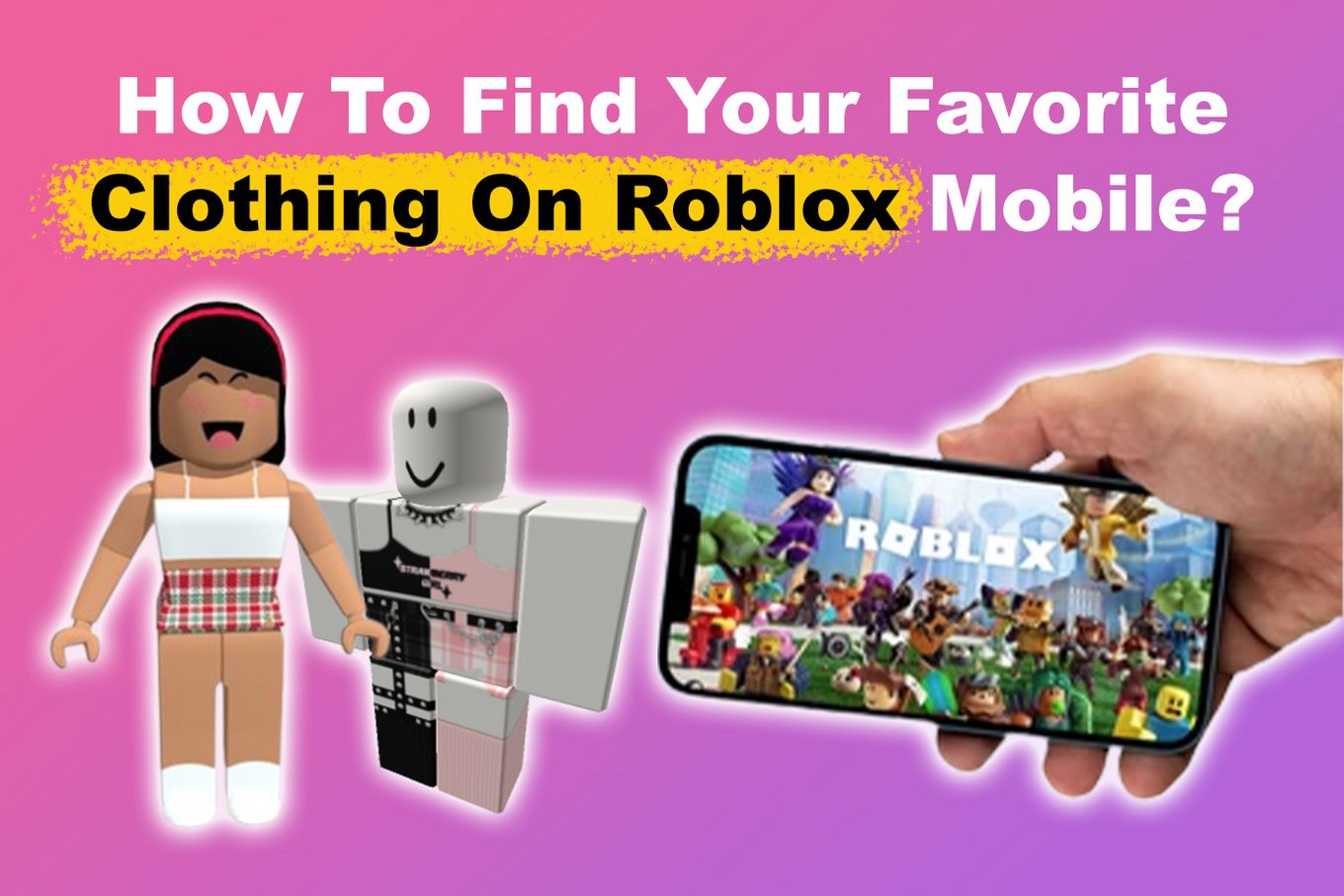

How Do I Make Clothes On Roblox In 2026 1roblox3 F9ynyb 1200x644 . How To Change Your Clothes In Roblox On Computer Laptop PC FULL GUIDE . YouTube . How To Discover Amazing Roblox Clothes In 2026 Favorite Clothing Roblox Mobile . HOW TO REMOVE CLOTHES IN ROBLOX 2026 FULL GUIDE YouTube
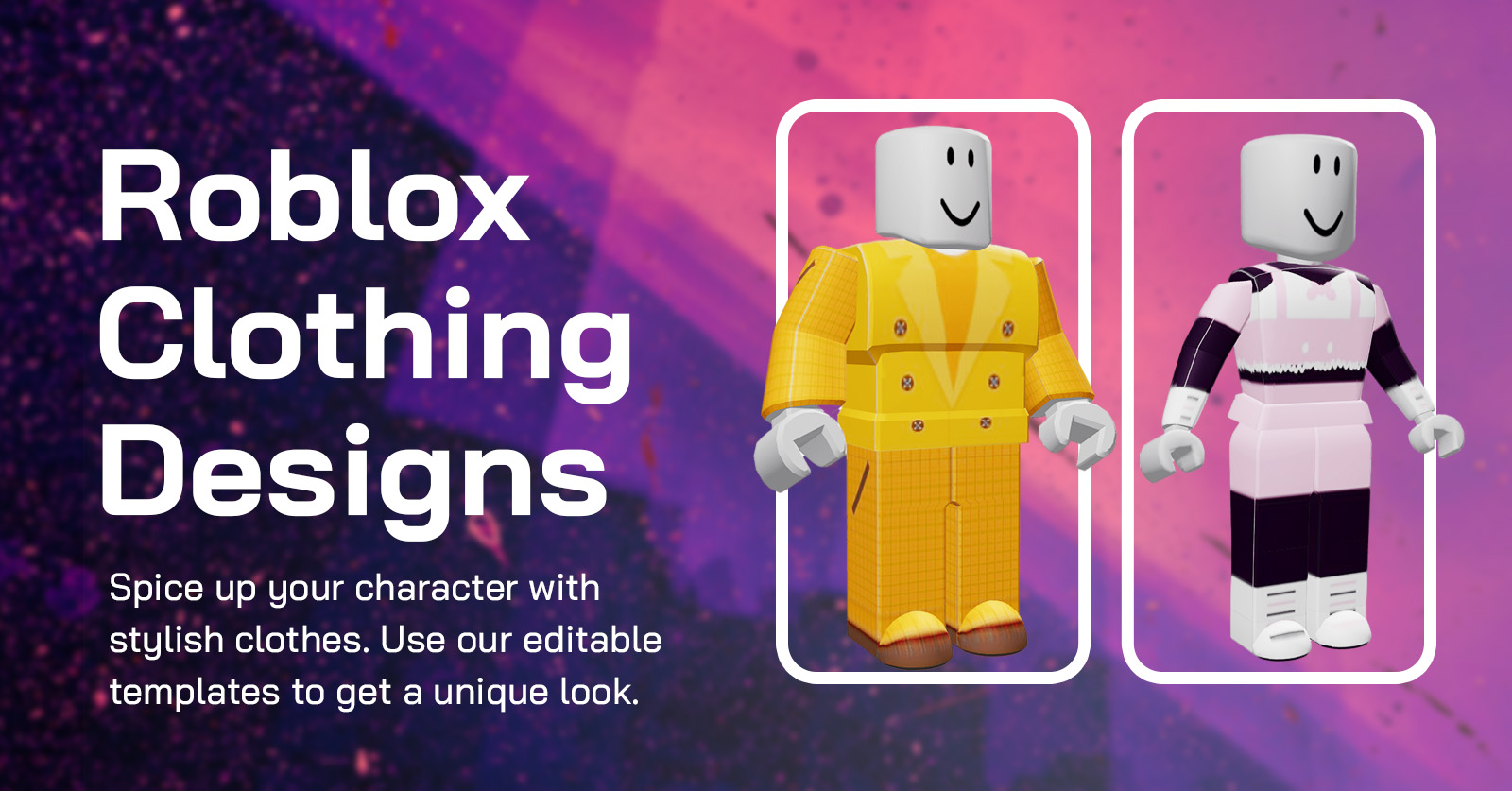


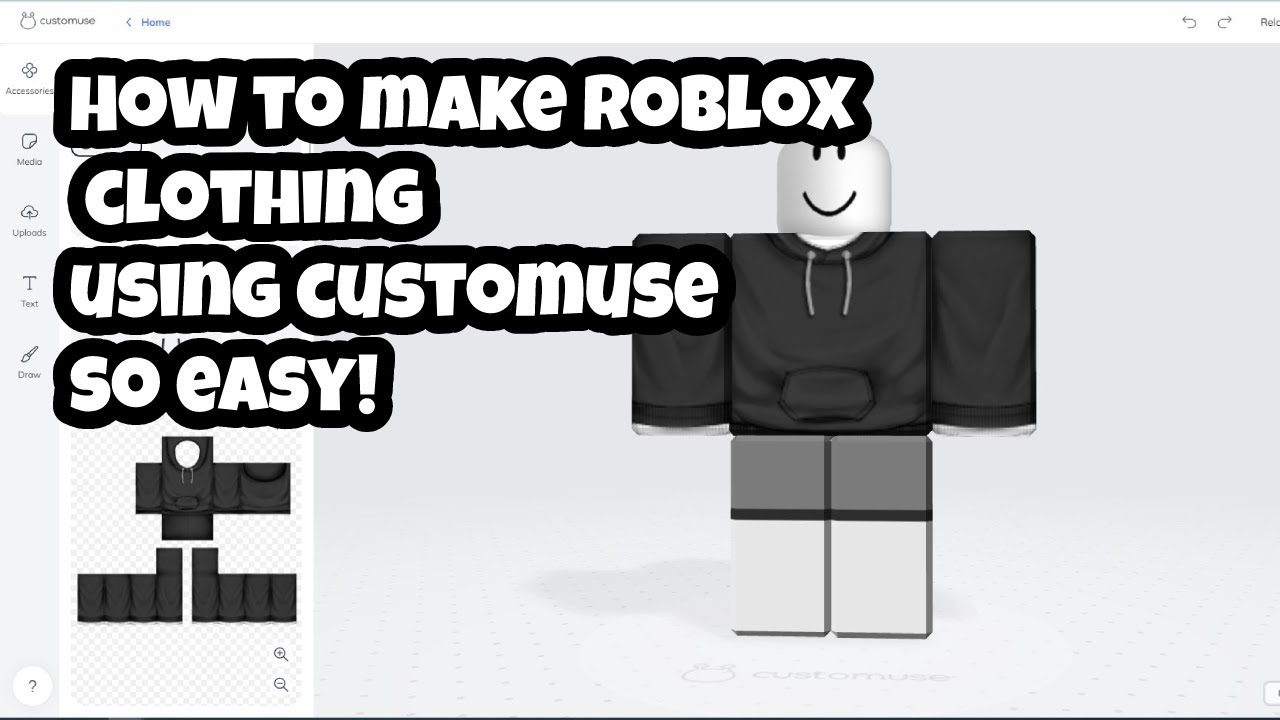

How Do I Make Clothes On Roblox In 2026 Roblox Clothing Templates Shirt Download Design . HOW TO CHANGE DEFAULT CLOTHES COLOR Roblox Tutorial YouTube . How To Change Roblox Keybinds A Simple Guide Playbite How To Get Free Roblox Clothes Without Robux Playbite . How Do I Make Clothes On Roblox In 2026 . How To CHANGE The COLOR Of Your CLOTHES 2023 Trick On ROBLOX YouTube Hqdefault