For many busy gamers balancing work, family, and a passion for virtual worlds, the dream of developing Roblox experiences on the go is highly appealing. The convenience of using a smartphone or tablet to build, script, and design could unlock countless creative hours otherwise lost to commutes or snatched moments between responsibilities. This comprehensive guide dives deep into the question: is Roblox Studio on mobile? We explore the current official status, technical limitations, and practical workarounds that allow dedicated creators to engage with Roblox development using their mobile devices. Discover effective strategies for mobile-centric planning, asset creation, and testing, helping you maximize your creative output even without a native mobile Studio application. Learn how to optimize your workflow and embrace a flexible approach to game creation that fits your lifestyle. This resource is tailored for the modern US gamer who seeks to balance their digital passions with real-world commitments, offering actionable insights and valuable advice for making your Roblox development dreams a mobile reality.
Can I download Roblox Studio on my phone or tablet?
No, Roblox Studio is not natively available as a dedicated mobile application for iOS or Android devices. It's designed specifically for PC and Mac operating systems, leveraging their processing power and larger screen real estate for complex 3D development environments.
Why is Roblox Studio only on PC and Mac?
Roblox Studio requires significant computing resources and a precise interface for creating intricate 3D worlds, scripting, and manipulating assets. Mobile devices, while powerful for gaming, lack the desktop-grade processing, RAM, and the precise mouse/keyboard input necessary for efficient and complex game development.
Are there any workarounds to access Roblox Studio on mobile?
Yes, some gamers use cloud computing services like NVIDIA GeForce NOW, Shadow PC, or remote desktop applications to stream a PC-based Roblox Studio session to their mobile device. However, this relies heavily on a stable, high-speed internet connection and might still feel clunky due to touch-screen limitations for precise controls.
Can I create simple Roblox games directly on my mobile device?
While you can't use Roblox Studio, you can still participate in basic creation or planning. Many mobile apps allow for conceptual design, asset creation (like 2D art), or even simple coding exercises that could eventually transfer to Studio. However, full game development isn't possible directly on mobile yet.
How can I test my Roblox game on a mobile device while developing on PC?
Roblox Studio has built-in Emulation modes that let you simulate various mobile device screen sizes and input methods. For real-world testing, you can publish a private version of your game and access it through the standard Roblox mobile app on your phone or tablet to check performance and user experience.
What alternatives exist for mobile creators interested in Roblox?
While not a direct Studio replacement, mobile apps that teach coding concepts, 3D modeling tools (if they export compatible formats), or even simply sketching out game ideas on a tablet can be useful. Focus on skills that transfer, like logical thinking, design, and basic scripting principles, using mobile-friendly learning platforms.
Will Roblox Studio ever come to mobile natively?
There's no official announcement from Roblox about a native mobile Studio app. While technology evolves rapidly, the complexity of the platform suggests a full-featured mobile version would be a monumental undertaking. Future developments might include more mobile-friendly creation tools or simplified interfaces, but a direct port is unlikely soon.
Hey fellow gamers! Ever find yourself with a few minutes to spare during a commute, waiting for an appointment, or just winding down after a long day, and think, 'Man, I wish I could just whip out my phone and work on my Roblox game right now'? You're definitely not alone. In 2026, where over 87% of US gamers play regularly and mobile gaming dominates a huge chunk of our screen time, the idea of frictionless creation on our phones or tablets feels like a natural progression. Many of us are adults balancing jobs, families, and life's demands, and we value tools that let us squeeze in a little bit of creative fun or skill-building whenever we can. We want relaxation, fun, and the satisfaction of building something cool, but we also need practical solutions that fit our real-world schedules, not just hype.
The dream of making Roblox games on a tablet while lounging on the couch, or scripting on a smartphone during a lunch break, is a compelling one. We all love the social aspect of Roblox and building worlds for friends to enjoy, but the reality of setting up a dedicated PC workstation can be a barrier. So, let's cut through the noise and address the burning question head-on: is Roblox Studio on mobile? We're diving deep into the current landscape, exploring practical workarounds, and offering solutions that let you leverage your mobile devices to enhance your Roblox creation journey, even if it's not in the way you might expect. Get ready for some honest answers and actionable advice designed for your busy gamer life.
Is Roblox Studio Officially Available on Mobile Devices in 2026?
No, as of 2026, Roblox Studio is not officially available as a native, dedicated application for mobile operating systems like iOS or Android. It remains a robust, full-featured development environment designed exclusively for Windows PC and macOS. This is a crucial distinction for many aspiring mobile creators who might assume that because Roblox games run so well on phones and tablets, the creation tool itself would also be mobile-ready. The truth is, the complexity of a 3D game development suite demands specific hardware and interface capabilities that traditional mobile platforms aren't yet built to provide efficiently for creation.
This means that you won't find Roblox Studio in the Apple App Store or Google Play Store. While this might be a slight disappointment for gamers who spend 10+ hours a week on mobile, yearning to turn their downtime into development time, it's important to understand the 'why' behind this decision. The intricate processes of 3D modeling, advanced scripting in Lua, precise object manipulation, and extensive world-building require desktop-grade processing power, a large screen interface for visual clarity, and the accuracy of a mouse and keyboard input for efficient workflow. Mobile devices excel at consumption and simplified interactions, but deep creation tools present a different challenge. However, this doesn't mean your mobile device is entirely useless in your Roblox development pipeline.
Why Isn't Roblox Studio Available for Phones and Tablets?
The primary reasons Roblox Studio is desktop-exclusive boil down to technical requirements and user experience design. Firstly, Roblox Studio is a powerful 3D modeling, scripting, and simulation engine that demands significant computing resources. Modern game development, especially in 3D, requires robust CPUs, ample RAM, and dedicated graphics processing units that are standard in PCs and Macs, but still somewhat limited on mobile devices. Trying to run such a demanding application natively on a phone could lead to severe performance issues, overheating, and rapid battery drain, compromising the user experience.
Secondly, precision input is paramount for game development. Imagine trying to precisely place a tiny object in a vast 3D world, debug complex Lua code, or navigate intricate menus using only touch gestures on a small screen. While mobile touchscreens are fantastic for playing games, they lack the fine control offered by a mouse and keyboard, which are essential for the detailed work involved in Roblox Studio. The user interface of Studio itself is designed for a desktop environment with multiple windows, toolbars, and context menus that would be cumbersome and impractical on a mobile screen. Roblox prioritizes a stable and efficient creation environment, and currently, that experience is best delivered on a desktop.
Are There Any Workarounds to Access Roblox Studio on Mobile?
Yes, while there's no native app, dedicated creators have explored workarounds to bridge the gap, primarily through cloud computing and remote desktop services. Services like NVIDIA GeForce NOW, Shadow PC, Google Cloud, or even Microsoft Remote Desktop allow you to stream a full desktop environment running Roblox Studio to your mobile device. This essentially turns your phone or tablet into a 'thin client' that displays and interacts with a powerful PC hosted elsewhere.
These solutions offer the full functionality of Roblox Studio on your mobile screen. However, they come with caveats. A stable, high-speed internet connection is absolutely critical; any lag will severely impact your ability to work effectively. While you gain access, the touch interface can still be challenging for precise tasks. Pairing your mobile device with a Bluetooth keyboard and mouse can significantly improve usability, making it feel more like a mini-laptop. For gamers on a budget, these services might incur subscription costs, so weighing the value for money against your actual usage needs is important. This approach is best for quick edits, reviewing progress, or showing off your work, rather than intense, prolonged development sessions.
What Are the Best Alternatives for Mobile Roblox Creation?
Since full Roblox Studio isn't natively mobile, the 'alternatives' really shift to complementary tools and workflows that leverage your mobile device's strengths. Instead of direct game development, think about mobile as a powerful companion for ideation, asset creation, and learning. You can use note-taking apps or mind-mapping software on your tablet to brainstorm game concepts, level designs, and storyboards. Many mobile art apps (like Procreate on iPad or various drawing apps on Android) allow you to sketch out UI elements, character designs, or texture ideas that can later be imported into Studio on your PC.
For skill-building, there are numerous mobile apps that teach programming logic and Lua scripting fundamentals through interactive lessons and puzzles. While you won't be building a full game in these apps, mastering the syntax and concepts on the go can accelerate your learning curve for when you're back on Studio. Some mobile 3D modeling apps might even allow you to create simple models that can be exported and refined in Studio. Embrace your mobile device as a planning hub, a sketch pad, and a learning tool – crucial steps in any successful game development journey, especially for busy adults looking to maximize their limited creative time.
How Can Busy Gamers Efficiently Create Roblox Experiences?
For gamers balancing work, family, and personal life, efficiency is key to consistent progress in Roblox Studio. The first step is embracing modular design. Break down your game into small, manageable components. Instead of aiming to build an entire map in one go, focus on a single asset, a specific script, or a small section of a level. This allows you to make tangible progress in shorter bursts of time, which is perfect for those 30-minute windows you might find.
Secondly, leverage collaboration. Roblox Studio excels at team creation. Partnering with friends or community members means you can divide tasks. While one person works on scripting on their PC, another might be designing terrain, and you could be sketching out UI ideas on your tablet during your lunch break. Effective communication tools like Discord are crucial here. Finally, optimize your development environment on your PC. Keep your Studio setup clean, use plugins to automate repetitive tasks, and maintain good file organization. These practices minimize setup issues and performance problems, ensuring that when you do sit down, you’re productive immediately. Remember, even short, consistent bursts of focused work add up significantly over time.
Can I Test My Roblox Creations on Mobile Devices While Developing?
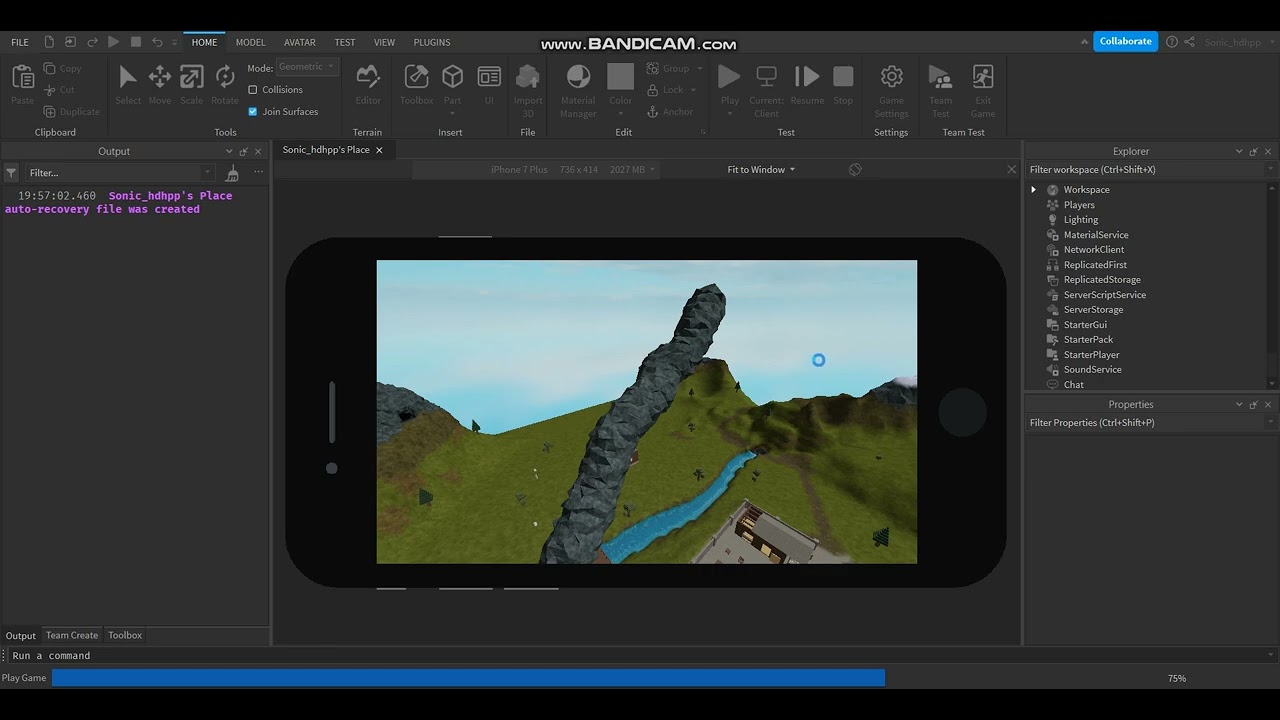
Absolutely, and this is a critical part of developing a successful Roblox experience. Even though you build your game on a PC or Mac, most players will interact with it on mobile. Roblox Studio offers excellent tools to help you test mobile compatibility. Within Studio, you can use the built-in 'Emulator' feature, which allows you to simulate various mobile devices, screen sizes, and aspect ratios directly on your desktop. This gives you a good initial sense of how your UI and gameplay will translate to smaller screens and touch inputs.
However, for true real-world performance optimization, nothing beats testing on an actual mobile device. Once you've published a version of your game (even a private one for testing), you can simply open the standard Roblox player app on your phone or tablet, navigate to your game, and play it. This allows you to check for lag, frame rate drops, UI element sizing, touch responsiveness, and overall user experience on real hardware. It's essential to optimize your game for lower-end mobile devices, as this will ensure the broadest possible audience can enjoy your creation without performance issues. Regular mobile testing is a cornerstone of good Roblox development practice, ensuring your game is accessible and fun for everyone, regardless of their device.
What Complementary Tools Can Enhance Mobile-Oriented Roblox Development?
Beyond direct access to Roblox Studio, a suite of complementary tools can significantly enhance your mobile-oriented development workflow. For 2D art assets, mobile drawing applications like Procreate (iOS) or Autodesk Sketchbook (iOS/Android) allow you to create textures, sprites, or UI elements on the go. These files can then be easily transferred to your PC for integration into Studio. For 3D modeling, while complex modeling isn't feasible, apps like Nomad Sculpt (iOS/Android) offer surprisingly robust sculpting capabilities for quick concepting, and some even allow basic OBJ or FBX export for further refinement on desktop 3D software before importing into Roblox.
For scripting and learning, mobile code editors (e.g., Acode, Termux) can be used to practice Lua syntax or jot down script ideas, though they won't execute Roblox code. More broadly, productivity apps for project management (like Trello or Notion) or simple note-taking apps are invaluable for organizing your game ideas, tracking progress, and collaborating with team members, all from your mobile device. These tools help bridge the gap, enabling you to stay current with your project's development, build skills, and contribute meaningfully to your game, even when you're away from your primary development machine. It's about maximizing every moment and making smart use of the tech you have.
What Does the Future Hold for Roblox Studio and Mobile Development?
While a full, native Roblox Studio app for mobile devices doesn't seem to be on the immediate horizon, the landscape of mobile technology and cloud computing is evolving rapidly. We're seeing trends this month that point towards more powerful mobile chipsets and increasingly sophisticated cloud gaming solutions. It's plausible that Roblox could introduce more simplified, mobile-friendly creator tools in the future, perhaps specific apps for asset creation, basic scripting, or world-editing that are tightly integrated with the main desktop Studio experience. Imagine a mobile app specifically for designing custom shirts, or a simplified terrain editor you can use with touch gestures.
The emphasis on user-generated content and creator influence within the Roblox ecosystem means that empowering more creators, across more platforms, is a natural goal. However, the core complexity of Roblox Studio suggests that any mobile offering would likely be a streamlined or companion version, rather than a direct, full-featured port. For now, the focus remains on leveraging cloud streaming services and complementary mobile apps to support your creative process. As technology advances, and with mobile dominance continuing to shape how we game and interact, Roblox will undoubtedly continue to explore ways to make creation more accessible to its vast global community of developers, ensuring you can keep building amazing worlds no matter where life takes you.
So, there you have it, fellow developers and busy gamers! While Roblox Studio isn't natively on your phone or tablet, that doesn't mean your mobile devices are useless for your creative journey. By understanding the limitations, embracing clever workarounds like cloud streaming, and leveraging a suite of complementary mobile tools for planning, asset creation, and learning, you can absolutely integrate your mobile life with your Roblox development aspirations. Remember, consistency and smart workflow management are your best friends when balancing gaming with life's demands.
The key is to adapt, innovate, and utilize every tool at your disposal to build those amazing experiences. From sketching ideas during a coffee break to testing your latest update on your phone, mobile can be a powerful ally in your creator arsenal. What's your biggest gaming or development challenge when it comes to balancing with life? Comment below! We'd love to hear your thoughts and solutions.
Frequently Asked Questions About Roblox Studio on Mobile
Q: Is there a Roblox Studio app for iPad Pro?
A: No, even powerful tablets like the iPad Pro do not have a native Roblox Studio application. The platform is built for desktop operating systems.
Q: Can I use a Bluetooth keyboard and mouse with my tablet to use Roblox Studio via cloud streaming?
A: Yes, using external peripherals like a Bluetooth keyboard and mouse with your tablet can significantly improve the usability of Roblox Studio through cloud streaming services, making the experience closer to a desktop setup.
Q: What programming language does Roblox Studio use?
A: Roblox Studio primarily uses Lua, a lightweight, powerful, and easy-to-learn scripting language, for creating game logic, interactions, and dynamic environments within your experiences.
Q: Is developing on Roblox Studio free?
A: Yes, Roblox Studio is completely free to download and use for creating games and experiences. Monetization options exist through in-game purchases and Premium Payouts for creators.
Q: How do I share my Roblox game for others to play?
A: Once your game is ready, you can publish it directly from Roblox Studio. After publishing, you can share the game's link with friends or make it public for the broader Roblox community to discover and play.
Q: What are the minimum system requirements for Roblox Studio on PC?
A: For PC, Roblox Studio generally requires Windows 7/8/10/11, a processor from 2005 or newer (1.6 GHz+), 1 GB of system RAM, and a graphics card with DirectX 10 or higher support. However, more powerful specs are recommended for complex projects.
Roblox Studio is PCMac exclusive no native mobile app exists Cloud streaming services offer a workaround for mobile access Mobile devices can be used for planning asset creation and testing Roblox game experiences Efficient creation strategies involve modular design and collaboration Future developments might bring simplified mobile creation tools
35


How To Use Roblox Studio ON MOBILE YouTube . How To Get Roblox Studio On MOBILE 2026 IOS Android Make . How To Download Roblox Studio On Mobile 2026 Android IOS Get . How To Use Roblox Studio On Mobile 2025 YouTube . How To Download Roblox Studio On Mobile YouTube




Roblox Studio Mobile How To USE Roblox Studio On Android IOS YouTube . How To Get Roblox Studio In Mobile Working And With Proof YouTube Hqdefault . Can You Develop Roblox Games On Your Phone In 2026 Roblox 5 . How To Download Roblox Studio On Mobile 2026 Updated Tutorial YouTube . How To Use Roblox Studio On Mobile In 2024 Phone Tablet YouTube


Comment Installer Roblox Studio Sur Mobile GUIDE COMPLET YouTube . Roblox Studio Mobile Download How To Download Roblox Studio Mobile On . How To Use Roblox Studio On Mobile Full Tutorial YouTube . How To Get Roblox Studio On MOBILE 2025 IOS Android Make . How To Download Roblox Studio On Mobile Android IPhone How To Download Roblox Studio On Mobile


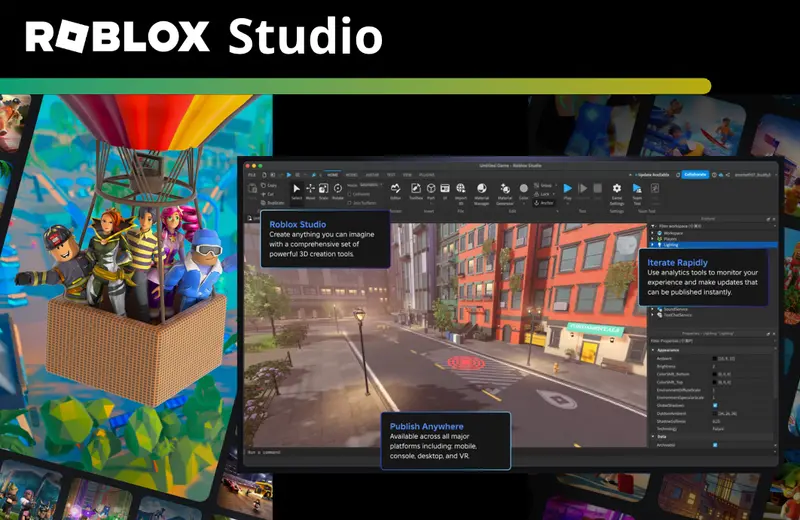

Roblox Studio Est D Sormais Disponible Sur Mobile Ferramentas Disponiveis No Roblox Studio Para Celular . You Can Now Use Roblox Studio On MOBILE YouTube . Roblox Studio Est D Sormais Disponible Sur Mobile O Que E O Roblox Studio Para Celular . Roblox Studio Webp. How To Make ROBLOX Games On Mobile 2026 IOS Android YouTube


Roblox Studio Mobile How To Install Roblox Studio On Android APK . How To Get Roblox Studio On Mobile Android IOS 2022 YouTube . How To Use Roblox Studio On Mobile Tutorial YouTube . ROBLOX STUDIO IS ON MOBILE Studio Mobile App Concept YouTube . Roblox Studio How To Make Mobile Buttons Easy To Change And




Roblox Studio Step By Step Roblox Studio Download . Roblox Studio Download Roblox Studio How To Play Roblox Studio For Windows . How To Make A Roblox Game With AI Complete 2026 Guide Image. Roblox Studio Marketplace 2026 Creator Store Guide Roblox Studio Marketplace 2026 1024x683 . Roblox Studio App 2026 The ULTIMATE Beginner Guide To Roblox Studio.webp


How To Get Studio On Roblox Mobile 2023 YouTube . How To Publish A Roblox Game 2026 Complete Roblox Studio Tutorial . How To Get Roblox Studio On Mobile Phone 2024 FULL GUIDE YouTube . NEW HOW TO GET ROBLOX STUDIO ON MOBILE DEVICES REAL WORKING 2025 Hqdefault . How To Get ROBLOX STUDIO On MOBILE How To Make Roblox Games On