Navigating the vast world of Roblox is often more rewarding with a squad. This comprehensive guide will walk you through everything you need to know about how to group in Roblox, whether you are looking to join an existing community or eager to forge your own. For the adult gamer who values strategic play, social connection, and optimizing limited gaming time, understanding Roblox groups is key to unlocking deeper engagement and collaborative experiences. Learn how to connect with like-minded players, manage group dynamics efficiently, and leverage these social features to enhance your overall Roblox journey. Discover the benefits, step-by-step instructions for creation and joining, and essential tips for effective group management. This article is your ultimate resource for mastering the social side of Roblox, ensuring you can quickly find your tribe and make the most of your virtual adventures with friends. Embrace the power of community and elevate your gameplay today.
How do I find a good Roblox group for adult players?
Finding a good Roblox group for adult players involves focusing your search on specific interests or games you enjoy. Use the 'Groups' search function on Roblox and look for groups with mature descriptions, active group walls (check the dates of posts!), and possibly references to external communication platforms like Discord. Many adult-oriented communities will emphasize cooperation, strategy, and a respectful environment. Don't be afraid to read their rules and descriptions thoroughly before joining to ensure a good fit for your valuable gaming time.
What's the process for creating a private Roblox group?
Creating a private Roblox group involves setting the 'Membership Type' to 'Manual Approval' during the group creation process. This means that after members request to join, you, as the group owner or an administrator with the proper permissions, must manually review and approve each request. This control allows you to vet members, ensuring only those who meet your criteria or align with your group's ethos are admitted, which is ideal for exclusive teams or close-knit communities. Remember there's a 100 Robux fee to create any group.
Why would my Roblox group join request be denied?
Your Roblox group join request could be denied for several reasons. The group might be private and require manual approval, and your profile or stated interests might not align with their criteria. They might have a strict member cap, or you may have violated a rule in your profile name or description that conflicts with their guidelines. Sometimes, group owners are simply inactive and don't review requests. It's always a good idea to ensure your profile is complete and friendly, and if possible, contact a group admin if their details are public.
Can I transfer Roblox group ownership to another player?
Yes, you can transfer Roblox group ownership, but there are specific conditions. You must be the current owner of the group, and the recipient must have a rank of 255 (the highest possible rank below owner) within the group. To initiate the transfer, navigate to your group's 'Admin' page, go to the 'Members' tab, find the user you wish to transfer ownership to, click the gear icon next to their name, and select 'Transfer Ownership'. Be extremely careful, as this action is permanent and cannot be undone by Roblox Support.
What are Roblox group funds and how do they work?
Roblox group funds are Robux that belong to the group itself, not to any individual player. These funds accumulate from various sources, such as group clothing sales, game pass sales in group-owned experiences, or direct donations from members. The group owner, or members with the 'Spend Group Funds' permission, can use these Robux to pay out to other members, upload assets like shirts or pants, create group advertisements, or purchase private servers for group games. It's a collective pool of currency for community benefit.
How can I keep my Roblox group active and engaged?
To keep your Roblox group active and engaged, regular interaction and fresh content are key. Host frequent group events, contests, or game nights that cater to your members' interests. Encourage discussion on the group wall and any associated Discord server. Post regular updates about games, new group features, or community news. Delegate responsibilities to trusted members to foster ownership and lighten your load, and always solicit feedback to make members feel valued and heard. Consistent effort ensures a vibrant community.
What are the best practices for promoting a new Roblox group?
The best practices for promoting a new Roblox group include leveraging both in-platform and external strategies. Within Roblox, utilize paid advertisements with Robux to reach a broad audience, and post in relevant game forums. Externally, use social media platforms like Discord, Twitter, or TikTok to share your group's unique appeal. Encourage existing members to invite their friends. Offer exclusive content, perks, or events to attract new members, and ensure your group's description and icon are compelling and clearly state your purpose.
For many of us who balance a career, family life, and other responsibilities, gaming isn't just a pastime; it's a vital escape, a way to unwind, or a challenging mental workout. Roblox, with its immense variety of experiences, offers a unique platform for this. But let's be honest, trying to conquer a complex game or simply enjoy a social hub solo can sometimes feel like shouting into the void, especially when your gaming sessions are precious and limited. That's where knowing how to group in Roblox becomes not just a feature, but a game-changer. Imagine easily finding teammates for a raid, connecting with fellow builders, or simply having a consistent crew to chat with after a long day. This isn't just about playing together; it's about building a reliable community, enhancing your gameplay, and making every minute you spend in Roblox more meaningful and fun. With 87% of US gamers playing regularly, and many averaging over 10 hours a week, social gaming is a huge part of the experience, and Roblox groups are at its core. This guide will cut through the noise, offering clear, actionable steps to help you master Roblox groups, ensuring your virtual adventures are always with your people.
You're not alone if you've ever felt that slight frustration trying to coordinate with random players or wishing you had a dedicated team. Adult gamers, in particular, appreciate efficiency and reliable social connections. Roblox groups provide just that – a structured environment to collaborate, communicate, and consistently play with friends or new acquaintances who share your interests. Mobile gaming continues its dominance, and Roblox's seamless cross-platform accessibility means groups are more important than ever for cohesive play across devices, a key trend this month. Whether you're a veteran looking to streamline your social interactions or new to the platform and seeking camaraderie, understanding how to group in Roblox is foundational to a richer, more engaging experience. Let's dive into how you can leverage these powerful social tools to build your ultimate Roblox community.
Why Should I Join or Create a Roblox Group?
Joining or creating a Roblox group offers a multitude of benefits that significantly enhance your gaming experience. Firstly, it fosters a strong sense of community. You can connect with players who share your specific interests, whether it's building intricate obbies, battling in a war-torn simulator, or role-playing in a virtual city. This connection makes it easier to find reliable teammates for quests, competitive matches, or collaborative projects, saving you precious gaming time. Many groups also feature exclusive perks, like in-game items, special ranks, or private servers, which can give you an edge or unlock unique content within specific games. It's about finding your tribe, making social gaming more consistent and enjoyable, and leveraging collective effort to achieve goals that might be challenging alone.
Furthermore, for adult gamers who often have limited time, groups provide a structured way to engage. You can organize playtimes, discuss strategies, and stay updated on game-related news more efficiently than relying on random server encounters. This social aspect is crucial for relaxation and stress relief, as connecting with friends in a game can be a powerful antidote to daily pressures. Groups can also serve as a platform for skill-building, as experienced members often share tips and tricks, helping you level up faster. It's a low-effort, high-reward way to deepen your immersion and enjoyment in the Roblox ecosystem, truly embodying the spirit of social play that's so popular among today's gamers.
How Do I Find and Join an Existing Roblox Group?
Finding and joining an existing Roblox group is a straightforward process designed to get you connected quickly. The primary method is through the Roblox website or app's 'Groups' section. Once logged in, navigate to the 'Groups' tab, which is usually found in the left-hand navigation menu on the website or within the main menu on the app. Here, you'll find a search bar where you can type in keywords related to your interests – think game titles, genres, or specific communities you've heard about. For instance, if you love building, you might search for 'Roblox builders' or 'creative community'.
After entering your search term, a list of relevant groups will appear. You can filter these results by various criteria, such as member count or activity level, to help you find the perfect fit. Once you click on a group, you'll see its main page, which displays information like its description, rules, member list, and any associated games. To join, simply click the 'Join Group' button. Some groups are public and allow instant entry, while others might be private and require an administrator to approve your request. Always read the group's description and rules before joining to ensure it aligns with your gaming style and expectations. This careful selection ensures a positive experience and minimizes potential headaches later on.
What Are the Steps to Create My Own Roblox Group?
Creating your own Roblox group allows you to build a community tailored precisely to your vision and gaming preferences. It's a fantastic option for lead strategists, content creators, or anyone who wants to bring their specific gaming friends together under one banner. To begin, log into your Roblox account and navigate to the 'Groups' section, just like you would to find an existing group. On the Groups page, look for an option that says 'Create Group' or a similar button, typically located on the right side of the page. Clicking this will initiate the group creation process, which has a small Robux fee associated with it – usually 100 Robux, a minimal investment for a lasting community.
Next, you'll be prompted to fill out essential details for your new group. This includes choosing a unique and memorable 'Group Name' that clearly represents your community's purpose. You'll also need to write a compelling 'Description' that explains what your group is about, its rules, and what kind of members you're looking for. A good description helps attract the right players. Additionally, you'll upload a 'Group Icon', which should be a clear and appealing image that visually identifies your group. Finally, set the 'Membership Type' – either 'Anyone Can Join' for open access, or 'Manual Approval' if you want to screen members. Review all your settings, and then click 'Buy' to finalize the creation. Congratulations, you're now the proud owner of a new Roblox group!
How Do I Manage My Roblox Group After Creation?
Effective group management is crucial for maintaining a healthy and active community in Roblox. Once your group is created, you'll access management options through the 'Admin' panel on your group's page. This panel grants you comprehensive control over various aspects of your group. One of the first things you'll want to do is set up 'Roles'. Roles define the hierarchy and permissions within your group, allowing you to assign specific responsibilities to members. For example, you can create roles like 'Moderator' to help enforce rules, 'Developer' for those working on group games, or 'Recruiter' to bring in new members. Each role can be customized with different permissions, such as the ability to post on the group wall, kick members, or manage group games.
Regularly moderating the 'Group Wall' is another key management task. This is where members communicate, and it's essential to ensure conversations remain positive and abide by Roblox's terms of service and your group's specific rules. You can delete inappropriate posts or temporary ban members who violate guidelines. Additionally, paying attention to 'Pending Join Requests' if your group requires manual approval is important for growing your community. Periodically, you might also want to update your group description, icon, or even host group events to keep members engaged. Active management fosters a thriving environment, making your group a desirable place for players to spend their valuable gaming time and contributing to the overall social fabric of Roblox.
What are Group Roles and Permissions in Roblox?
Group roles and permissions in Roblox are fundamental for structuring your community and delegating responsibilities effectively. When you create a group, Roblox automatically assigns several default roles, such as 'Owner' (you), 'Admin', and 'Members'. However, you have the power to create custom roles and assign specific ranks and permissions to each. This system is incredibly flexible, allowing you to build a hierarchy that suits your group's unique needs, whether it's a competitive team, a role-playing guild, or a development studio. Permissions are granular controls that determine what each role can do within the group, ranging from simple actions like posting on the group wall to critical functions like managing funds or group games.
To manage roles and permissions, go to your group's 'Admin' page and navigate to the 'Roles' section. Here, you can create new roles by clicking 'Create Role', give them a custom name and description, and then adjust a slider to set their numerical rank. Higher ranks typically imply more authority. For each role, you'll see a checklist of permissions. These include 'Spend Group Funds', 'Manage Group Games', 'Delete Group Wall Posts', 'Exile Members', 'Change Group Settings', and more. Carefully consider which permissions to grant each role, especially to those with higher ranks, to prevent misuse. Assigning the right roles to trusted members can significantly lighten your management load and empower your community, making your group more dynamic and self-sufficient. This delegation is particularly helpful for busy adult gamers who can't be online 24/7 but still want a well-run group.
How Can Roblox Groups Enhance My Gaming Experience?
Roblox groups can dramatically enhance your gaming experience by turning solitary play into a vibrant, collaborative adventure. The most immediate benefit is access to a reliable pool of teammates. No more struggling with random players who might not communicate or share your objectives. With a group, you're playing with people you know, or at least who are vetted to share your interests, leading to more coordinated gameplay, quicker quest completions, and overall more enjoyable sessions. For those who enjoy competitive games, having a consistent squad can be the difference between victory and defeat, allowing for practice and development of complex strategies. This month, many popular social and cozy games are seeing increased engagement specifically because players are seeking these collaborative experiences.
Beyond direct gameplay, groups offer a social hub. This is where friendships are forged, inside jokes are made, and valuable gaming knowledge is exchanged. Many groups have dedicated Discord servers or use the Roblox group wall for real-time communication, fostering a sense of belonging that extends beyond the game itself. This social aspect is a powerful stress reliever, providing a space to unwind and connect with others who understand your passion for gaming. Furthermore, groups often provide exclusive content, early access to games, or internal tournaments, adding layers of excitement and value to your membership. It's about finding community, building skills, and making every minute spent in Roblox more rewarding, especially for gamers balancing life's demands and seeking quality interactions.
Are There Costs Associated with Roblox Groups?
Yes, there is a one-time cost associated with creating a new Roblox group, which typically requires 100 Robux. This fee covers the initial setup and allows you to establish your group's presence on the platform. Once the group is created, there are no recurring subscription fees from Roblox itself for simply owning or operating a group. However, while the basic functionality is free after creation, there can be optional costs if you choose to expand your group's features or promote it. For example, if you want to create group-exclusive items like shirts or pants, you'll need to pay a small Robux fee for each item upload. Similarly, if you wish to run advertisements to attract more members to your group, that would also require Robux. Many groups also manage group funds, which are Robux donated by members or earned through group activities. These funds are used for things like paying developers, rewarding members, or creating group assets. So, while the initial cost is minimal, further investments can be made depending on how elaborate you wish your group to be. Many adult gamers find these optional costs worthwhile for enhancing their community and shared experiences.
What Are Some Best Practices for Group Communication?
Effective communication is the lifeblood of any successful Roblox group, especially for keeping busy adult members engaged. One of the best practices is to establish clear communication channels. While the Roblox group wall is good for general announcements and quick chats, many active groups leverage external platforms like Discord for more robust real-time communication, voice chat, and organized discussions. Announce which platforms your group uses clearly in the description or a pinned post.
Secondly, set clear expectations for communication frequency and tone. Encourage respectful dialogue and discourage spam or negativity. As the group owner or an administrator, actively moderate the group wall and chat channels to ensure a positive environment. Regular updates are also crucial. Use the group wall or Discord to post announcements about upcoming events, game updates, or new initiatives. Even short, consistent messages can keep members feeling connected and informed. Lastly, encourage participation. Ask open-ended questions, solicit feedback on group activities, and create opportunities for members to share their own ideas and creations. A group that communicates well is a group that thrives, fostering a strong sense of camaraderie and ensuring everyone gets the most out of their shared Roblox experience.
How to Troubleshoot Common Roblox Group Issues?
Encountering issues with Roblox groups can be frustrating, especially when you're trying to unwind. One common problem is not being able to join a group. This often happens if the group requires manual approval, and your request is pending, or if the group has reached its member limit. Always check the group's description for specific joining rules or status updates. If your join request is stuck, you might try re-sending it or contacting a group administrator directly if their contact info is available. Another frequent issue involves permissions not working as expected. If you've assigned a role a certain permission, but members in that role can't perform the action, double-check that the permission is correctly enabled for that specific role in the 'Admin' panel. Sometimes, a quick refresh of the Roblox page or even logging out and back in can resolve minor glitches.
If you're experiencing problems with the group wall, such as posts not appearing or content being mysteriously deleted, ensure you're not violating any Roblox terms of service or specific group rules. Sometimes, the Roblox moderation system can flag content automatically. For more persistent or severe issues, like group pages not loading or significant functionality problems, your best bet is to contact Roblox Support directly. They can investigate account or platform-wide issues that are beyond user control. Providing clear details and screenshots of the problem will help them assist you more efficiently. Proactive troubleshooting helps minimize downtime and ensures your group remains a smooth, enjoyable space for everyone.
What's the Future of Socializing in Roblox?
The future of socializing in Roblox is undoubtedly dynamic, continuously evolving to meet the demands of its diverse player base, including the growing segment of adult gamers. We're already seeing trends this month indicating deeper integration of social features across various experiences. Expect more sophisticated in-game communication tools, potentially incorporating advanced voice chat moderation and contextual emoji reactions to enhance real-time interactions. The platform is likely to push for even more seamless cross-play capabilities, further cementing groups as the central hub for multi-device collaboration, especially given mobile gaming's continued ascent. As the metaverse concept matures, Roblox groups could evolve into even more intricate digital organizations, complete with enhanced governance tools, integrated financial systems, and dedicated persistent spaces that members can customize and call their own.
Furthermore, the influence of creators and streamers will continue to shape how groups function. We might see more creator-led groups with exclusive content, interactive events, and direct channels for community feedback, blurring the lines between game development, content creation, and social interaction. Balancing the demands of an active community with the need for security and moderation will be a constant focus, with AI-powered tools likely playing a larger role in maintaining positive and safe environments. For adult gamers seeking genuine connection and value for their time, these advancements mean more opportunities for structured play, skill-building, and relaxation within curated, engaging communities. The goal is to make social interaction not just an add-on, but an integral, frictionless, and enriching part of every Roblox experience, ensuring that groups remain a powerful tool for connection and collective fun.
Connecting with others in Roblox is more than just a game mechanic; it's about enriching your entire experience, building lasting friendships, and finding genuine community in the vast digital playground. Understanding how to group in Roblox empowers you to take control of your social gaming life, whether you're leading a new venture or seeking out like-minded players for focused fun. We've covered everything from finding your perfect group to creating and managing your own, equipping you with the knowledge to make the most of Roblox's social features. The ability to easily team up, strategize, and simply hang out with a consistent crew truly makes a difference, especially for those of us juggling responsibilities outside the game. So go forth, explore, and build your ideal Roblox community!
What's your biggest gaming challenge when it comes to connecting with others in online games? Comment below and share your tips or struggles!
FAQ Section
Q: Can I be in multiple Roblox groups at once?
A: Yes, you can be a member of up to 100 Roblox groups simultaneously. This allows you to engage with various communities and participate in different types of games or activities without having to leave one group to join another.
Q: Is there a minimum age to create a Roblox group?
A: Roblox requires users to be at least 13 years old to create a group. This policy helps ensure a level of maturity for group ownership and management, aligning with broader online safety guidelines for user-generated content platforms.
Q: How do I kick a member from my Roblox group?
A: To kick a member, navigate to your group's 'Admin' page, go to the 'Members' tab, find the member you wish to remove, click the gear icon next to their name, and select 'Exile User'. Ensure you have the necessary 'Exile Members' permission for your role.
Q: Can Roblox groups have private servers?
A: While Roblox groups don't inherently own private servers in the same way individual players might, many group-affiliated games offer group-only private servers or access to exclusive game instances, allowing members to play together without interference from public players. Group funds can sometimes be used to acquire these.
Q: What are group funds used for?
A: Group funds, typically Robux, can be used by the group owner or members with 'Spend Group Funds' permission for various purposes. These include paying developers for creating group games or assets, uploading group clothing, creating advertisements for the group, or issuing payouts to active members.
Q: How can I promote my new Roblox group?
A: You can promote your group by creating Roblox advertisements with Robux, posting in relevant game forums, sharing on social media platforms like Discord, and encouraging current members to invite friends. Engaging with the community and offering unique content or events also attracts new members.
What are the benefits of grouping in Roblox for adult gamers?
For adult gamers, grouping in Roblox offers efficient social interaction, reliable team play for limited time slots, and a structured way to engage with like-minded individuals. It fosters community, enhances collaborative problem-solving, and provides a relaxed environment to unwind and de-stress after work or family commitments, maximizing the fun per minute.
How do I create a successful Roblox group that attracts mature players?
To create a successful Roblox group for mature players, focus on a clear, appealing niche that resonates with their interests, like strategy games or building communities. Establish clear rules, foster respectful communication on platforms like Discord, and offer organized events. Invest in a good group description and icon, and delegate roles to trusted, active members.
Are there specific Roblox games where grouping is essential for progression?
Yes, many Roblox games, particularly those with cooperative objectives, raids, or competitive elements, make grouping essential for progression. Games like 'Dungeon Quest', 'Arsenal', or various simulator games often require coordinated teams to overcome challenges, earn rewards, and advance effectively. Grouping ensures better communication and strategy.
What is the easiest way to find a Roblox group that aligns with my interests?
The easiest way to find an aligned Roblox group is to use the search bar within the 'Groups' section on the Roblox website or app. Type in specific keywords related to your favorite games, genres (e.g., 'RPGs', 'builders'), or even broader interests (e.g., 'casual gamers'). Filter results by member count or activity to find vibrant communities.
How can I ensure positive communication within my Roblox group?
Ensuring positive communication involves setting clear, concise rules for the group wall and any associated chat platforms like Discord. Actively moderate content, promptly address any negativity, and encourage constructive discussions. Promote a friendly, inclusive tone, and lead by example as the group owner or administrator. Regular, positive engagement fosters a healthy environment.
What is the difference between a Roblox group and a Roblox experience's private server?
A Roblox group is a social hub for a community of players, allowing for shared identity, communication, and management functions. A private server, on the other hand, is a specific instance of a Roblox experience (game) that is accessible only to invited players, offering a dedicated, exclusive play space. Groups can often facilitate access to or creation of these private servers for their members.
Can I earn Robux through my Roblox group?
Yes, you can earn Robux through your Roblox group. This is typically done by creating and selling group-exclusive clothing or game passes within group-owned experiences, or by members donating Robux to the group. These earnings accumulate in the group funds and can be used for various purposes or distributed to members with appropriate permissions.
Learn how to group in Roblox for enhanced social play and collaboration. Discover the benefits of joining or creating a Roblox group, including finding like-minded players and improving game strategy. Follow step-by-step guides for group creation, membership, and management. Understand group roles, permissions, and effective communication strategies. Optimize your Roblox experience by connecting with a strong community. This guide provides essential tips for adult gamers balancing life and play.
35


How To Create A Group On Roblox 2026 Make Roblox Group YouTube . How To Create A Group On Roblox 2026 Make Group On Roblox YouTube . How To Join A Roblox Group 2026 YouTube . How To Join A Group In Roblox Full Guide YouTube . How To Join A Group In Roblox 2026 YouTube
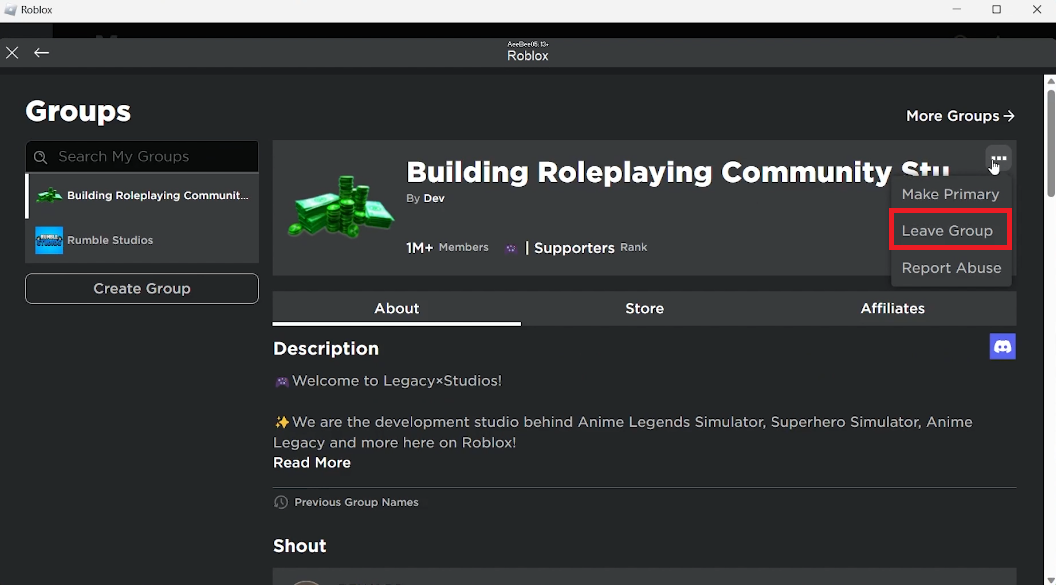
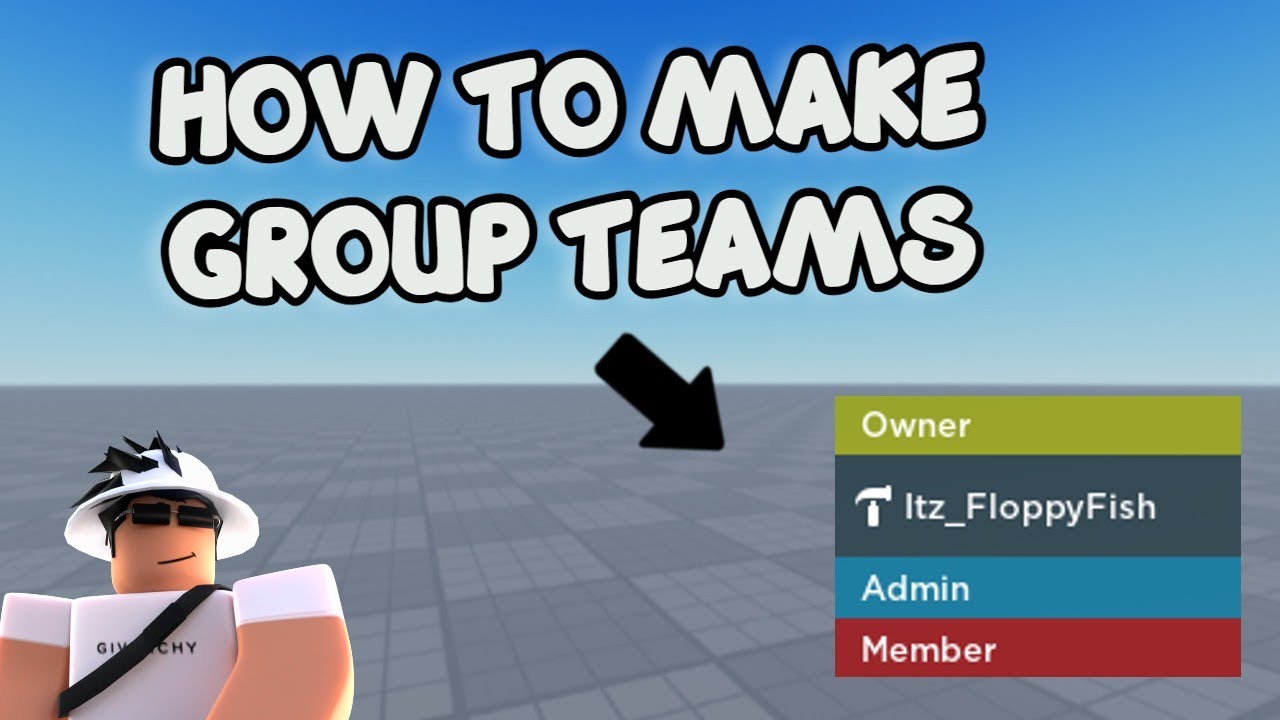


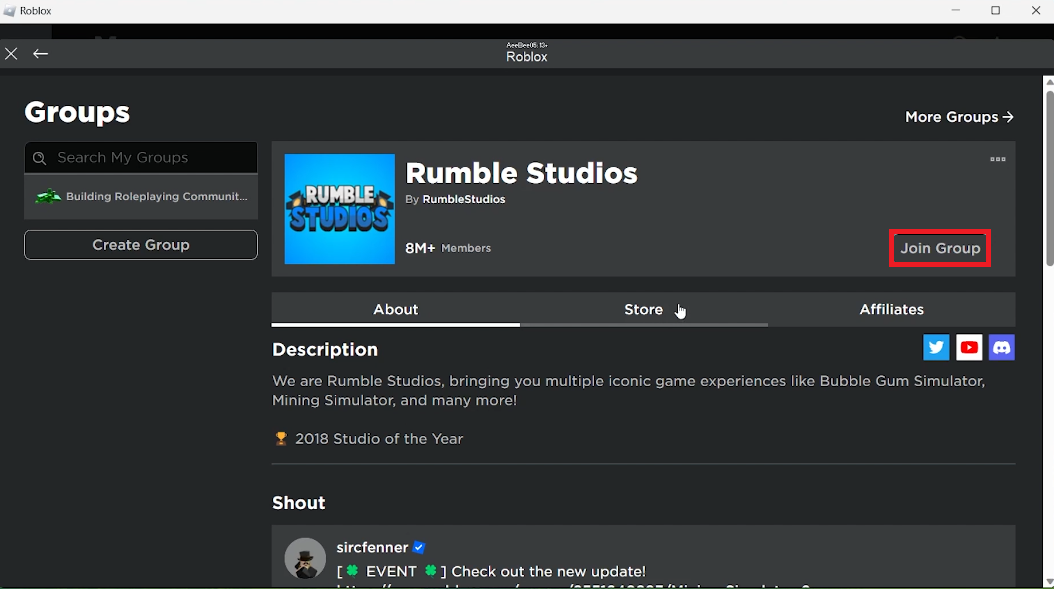
Build Your Roblox Realm A Guide To Thriving Communities 3 Leave Group. HOW TO MAKE GROUP TEAMS Roblox Studio Tutorial YouTube . Roblox S New Chat Rules Explained January 2026 Roblox New Chat Rules . How To Make A Group In Roblox Full Guide YouTube . How To Join And Leave Groups On Roblox Tutorial Tech How 2 Join Roblox Group


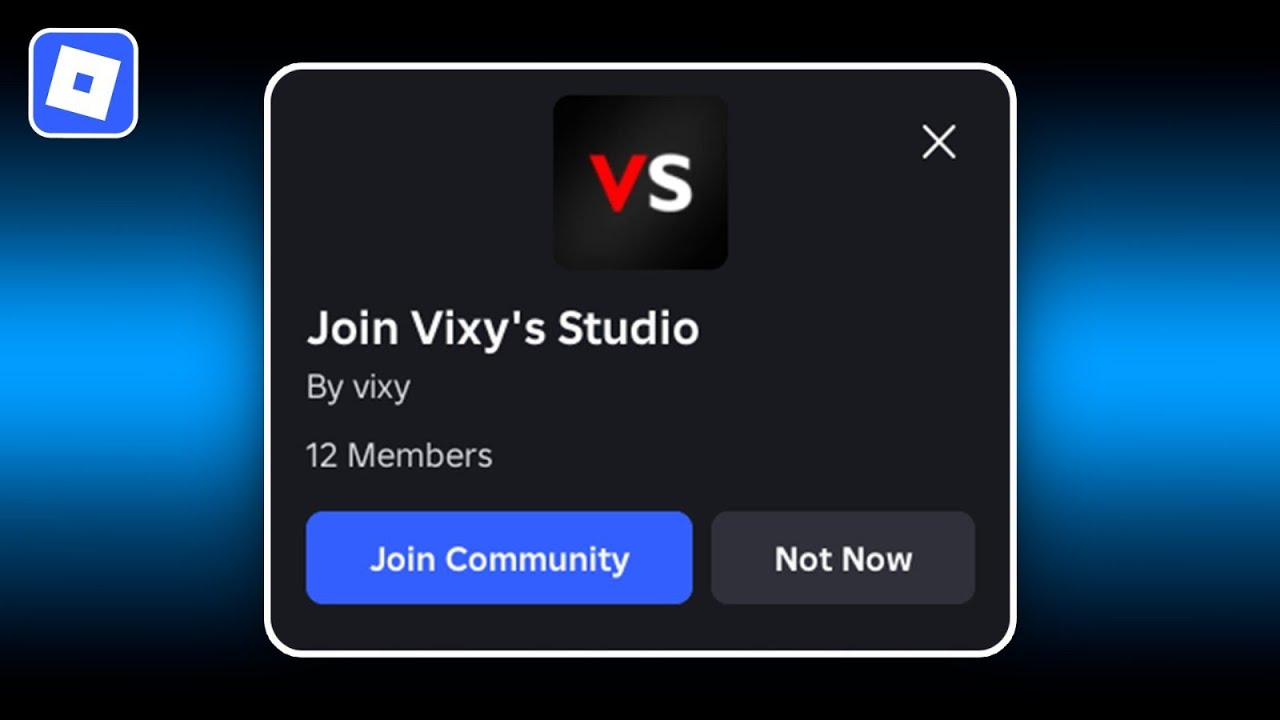
How To Create A Group On Roblox Make A Roblox Group YouTube . How To Create A Group In Roblox Full Guide YouTube . How To Join A Roblox Group YouTube . Level Up Your Game Creating A Roblox Group . How To Let Players Join Your Group In Game Roblox Studio YouTube


How To Join A Roblox Group Full Tutorial YouTube . How To Create A Group On Roblox 2024 YouTube . How To Make A Join Group Button In Roblox Studio 2025 In Game . Level Up Join Roblox Groups Like A Pro 2 690x449 . How Much Does It Cost To Make A Roblox Group 2026 How To Make A Group On Roblox For Free



Unable To See Group Members On Any Group Roblox Application And . Level Up Join Roblox Groups Like A Pro How To Join A Group In Roblox . How To Join A Group In Roblox 2026 Step By Step Guide YouTube . How To Add Games To Roblox Group Full Guide YouTube . Roblox Joins On How To Enable Them In 2026 Appear Offline On Roblox Step 13


How To Change Your Roblox Age Group In 2025 Fix Wrong Age How To Change Your Age Group On Roblox.webp. A Mother Or Father S Information To Utilizing Roblox In 2026 Ivugangingo 2026 Parental Guide For Roblox Usage UnicMinds . How Much Does It Cost To Make A Roblox Group 2026 1200x1769 . How To Publish A Game On Roblox In 2026 Roblox YouTube . How To Message On Roblox 2026 A Quick Guide SL1500


Roblox At GDC 2026 Where To Find Us All Week Roblox. How To Create Your OWN GROUP On Roblox Tutorial YouTube . How To Join A Group On Roblox 2026 YouTube . Joining Roblox Groups Your Easy Guide . Group Chat On Roblox How You Can Create A Group Chat On Roblox YouTube