Experiencing Roblox voice chat problems? You are not alone. Many adult gamers, balancing work and family, want to enjoy social interaction in their favorite Roblox experiences but hit roadblocks with spatial voice. This comprehensive guide dives into why you might be unable to use voice chat on Roblox, covering everything from crucial age verification steps and privacy settings to common microphone glitches and account standing issues. We provide practical, easy-to-follow solutions to get you talking with friends and fellow players. Understand the essential requirements, troubleshoot common errors, and optimize your Roblox experience for seamless communication. This resource is tailored for the busy gamer looking for quick fixes and clear explanations without the technical jargon or endless searching. Get back to connecting and having fun in the vast world of Roblox with our expert advice on resolving your voice chat woes effectively and efficiently.
How do I enable voice chat on my Roblox account?
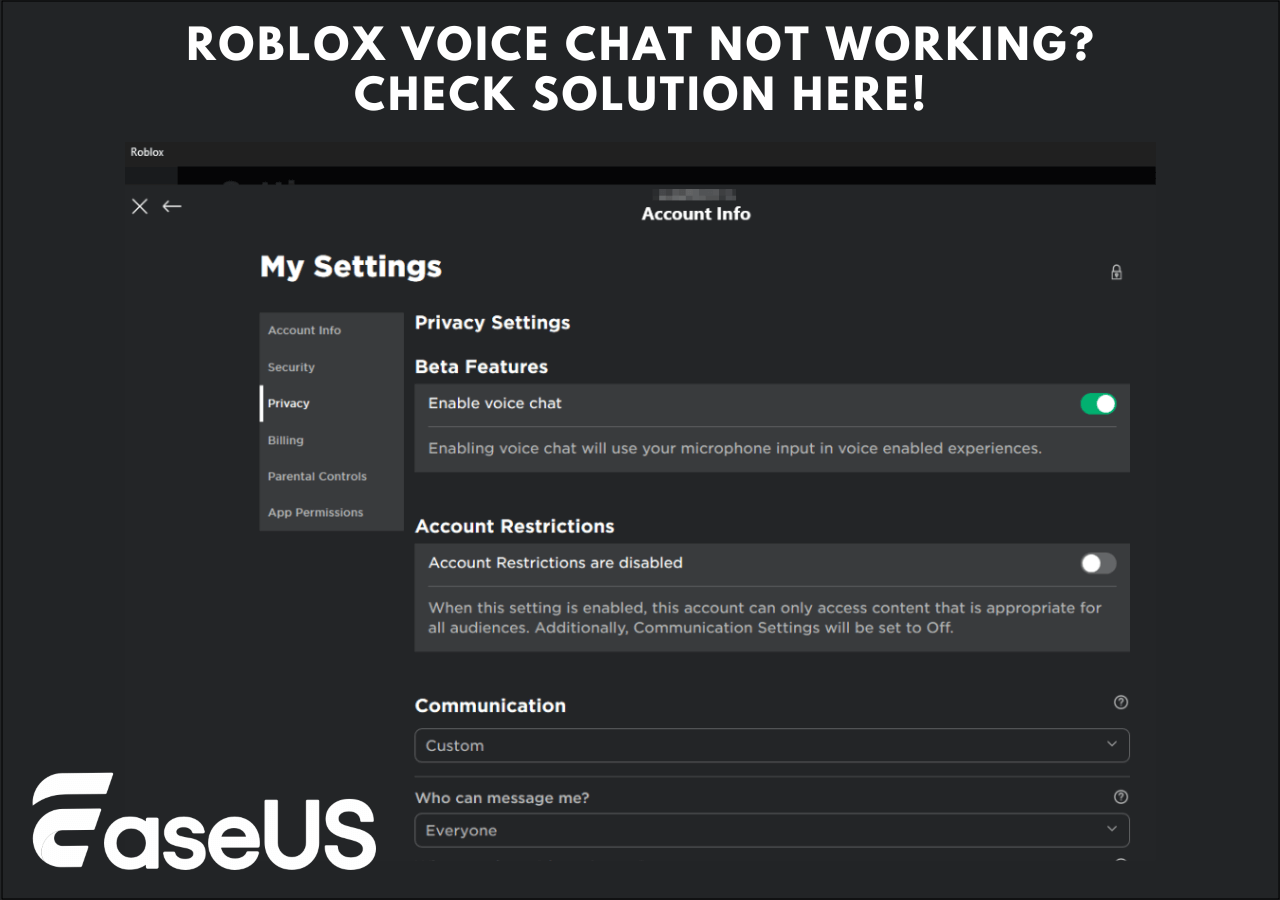
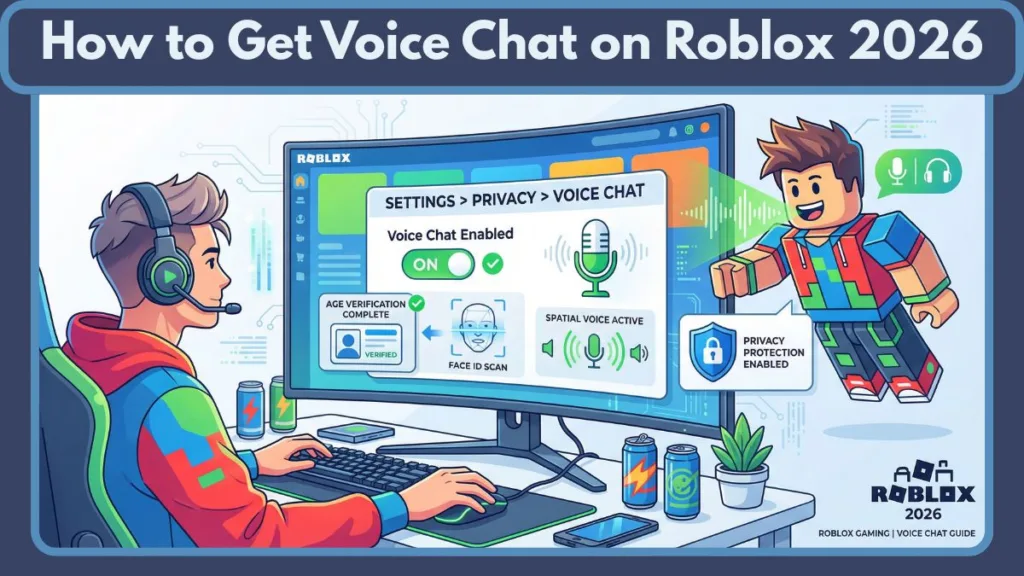
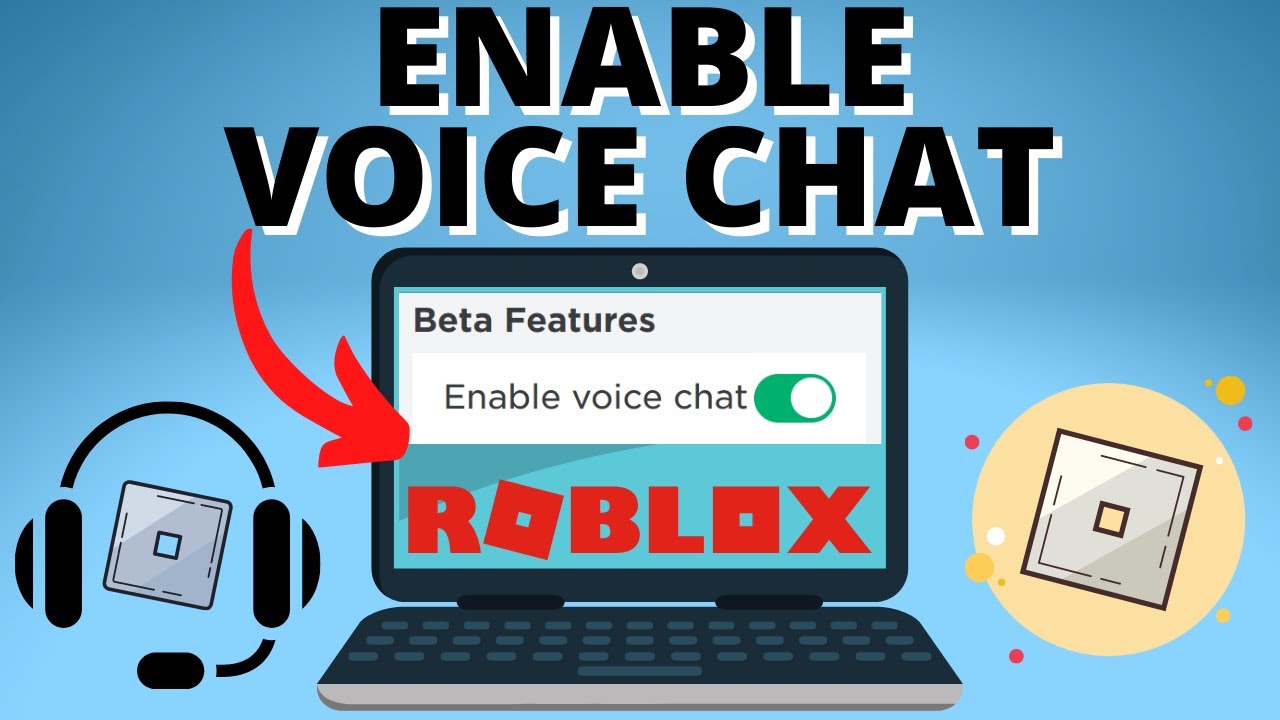
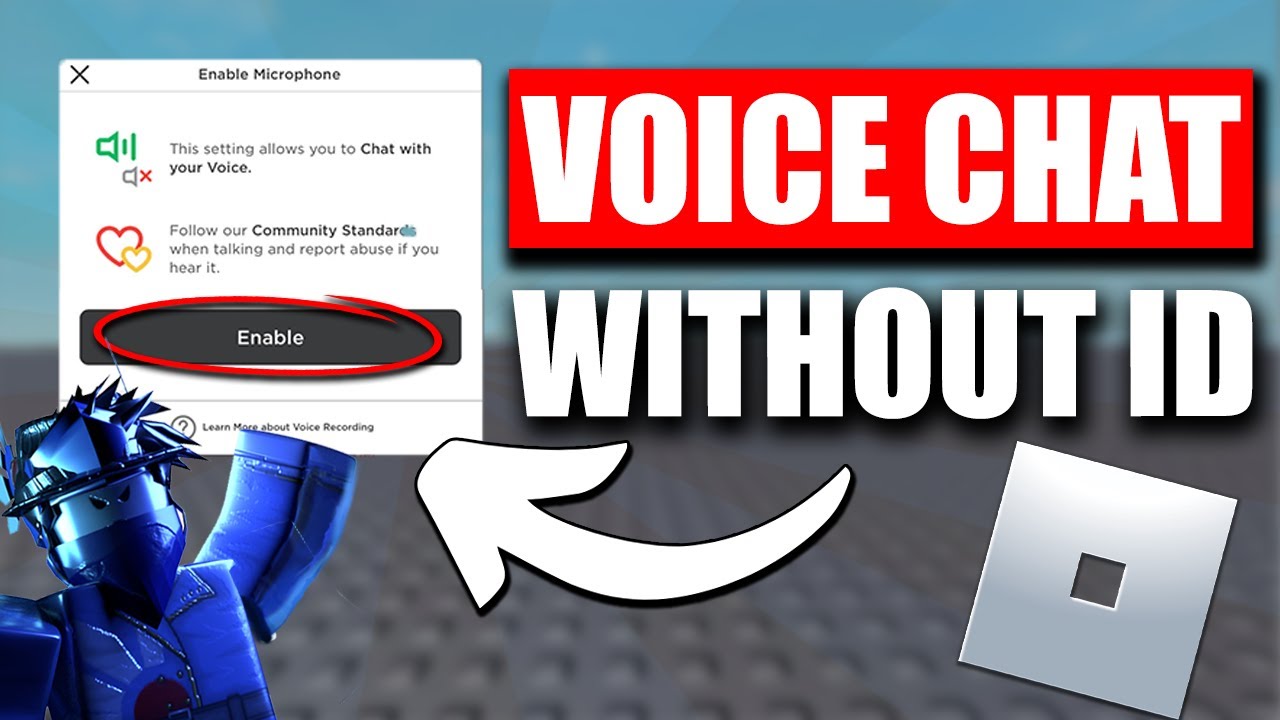
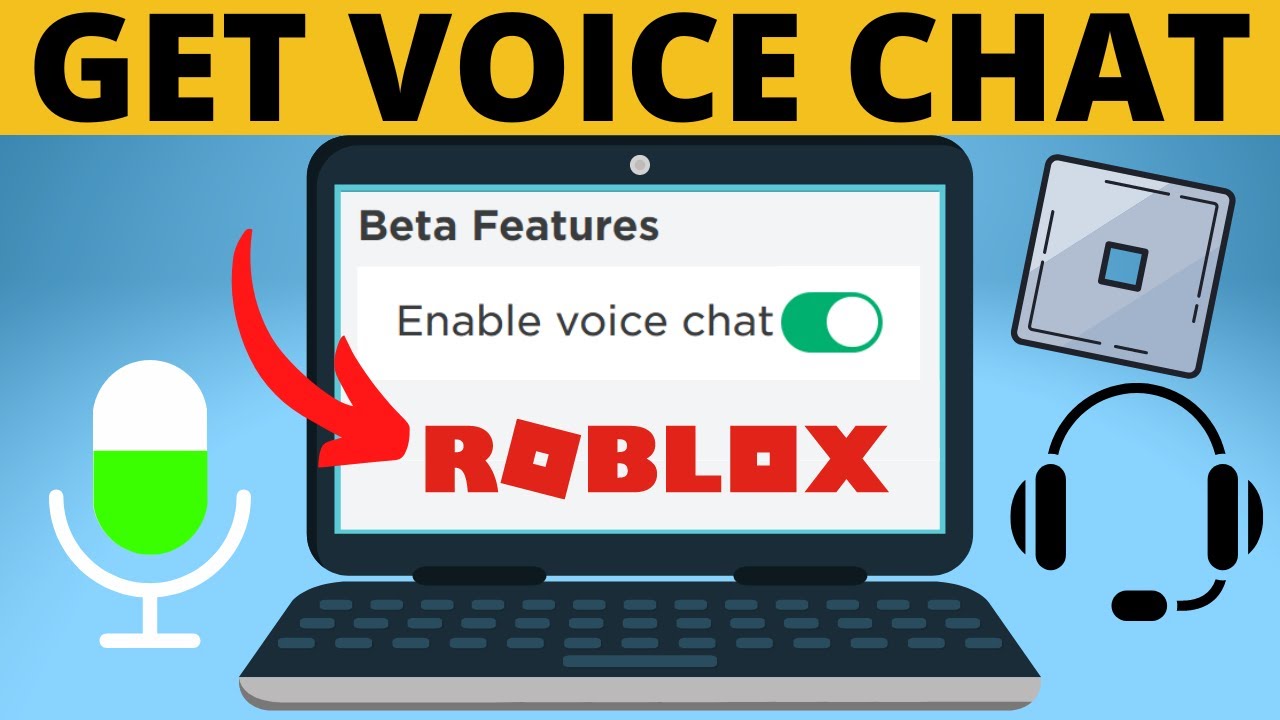
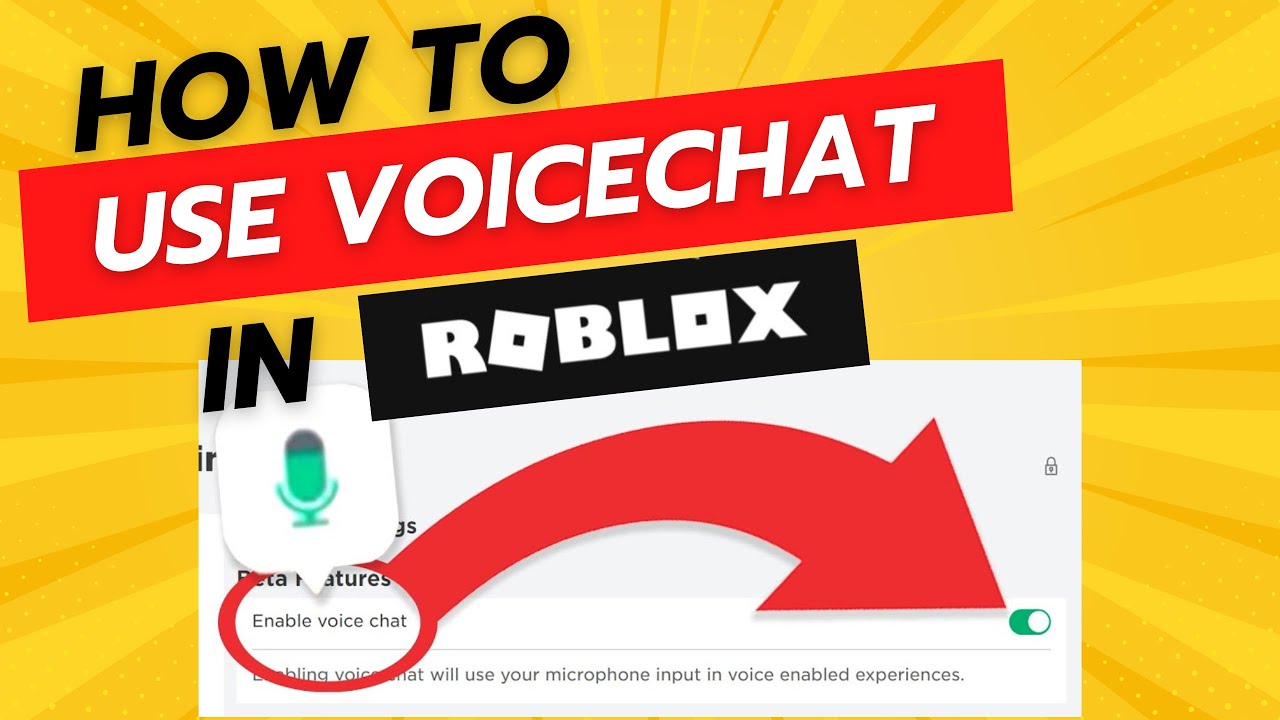
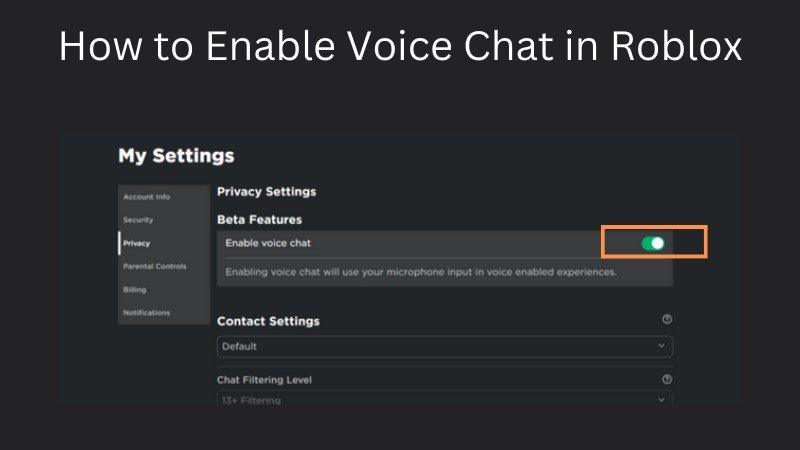
To enable voice chat, first, ensure your Roblox account has a verified age of 13+. Then, navigate to your account settings, select "Privacy," and toggle the "Enable Voice Chat" option to green. If this option isn't visible, you may still need to complete the age verification process using a valid ID. Remember that not all Roblox experiences support spatial voice, even if enabled on your account.
What are the age requirements for Roblox spatial voice?
Roblox Spatial Voice requires users to be at least 13 years old, with their age explicitly verified through an official government-issued ID. This verification process involves uploading a photo of your ID and a selfie for comparison. Accounts without verified age will not have access to the voice chat feature, regardless of their stated birthdate on the profile.
Why is my microphone not detected by Roblox voice chat?
If your microphone isn't detected, start by checking its physical connection and ensuring it's selected as the default input device in your operating system's sound settings. Also, verify that Roblox has permission to access your microphone in your device's app settings. Test the mic with another application. Outdated drivers or security software blocking Roblox can also be culprits, so update drivers and check firewall settings.
Can parental controls block Roblox voice chat?
Yes, parental controls can indeed block Roblox voice chat. If a parent has linked their account to a child's or implemented restrictions through third-party software, access to voice chat features may be restricted. Guardians can disable the "Enable Voice Chat" toggle in the privacy settings of the linked account, overriding the child's ability to use it, even if age-verified.
What if Roblox voice chat is grayed out in my settings?
If the "Enable Voice Chat" option is grayed out in your Roblox privacy settings, it almost certainly means your account's age has not been successfully verified to 13+. You must complete the ID verification process to unlock this setting. It could also indicate that parental controls are active and preventing you from making changes, so check with a guardian if applicable.
How long do Roblox voice chat bans last?
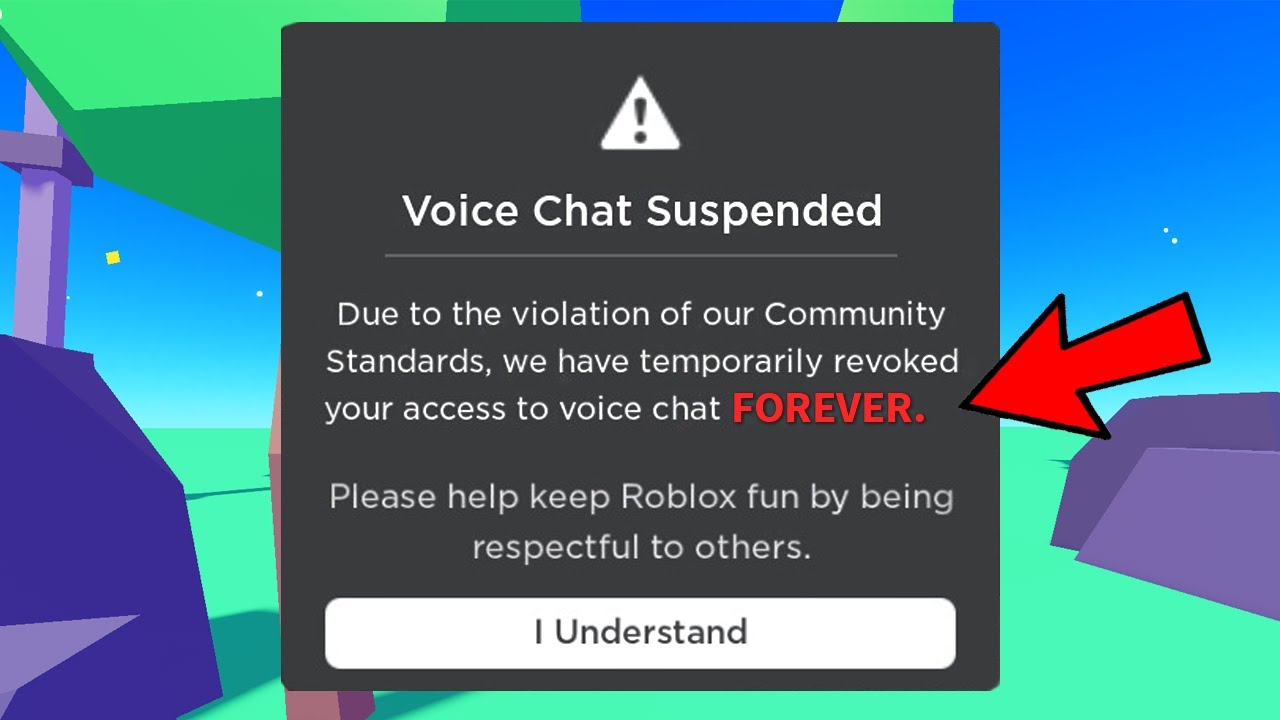
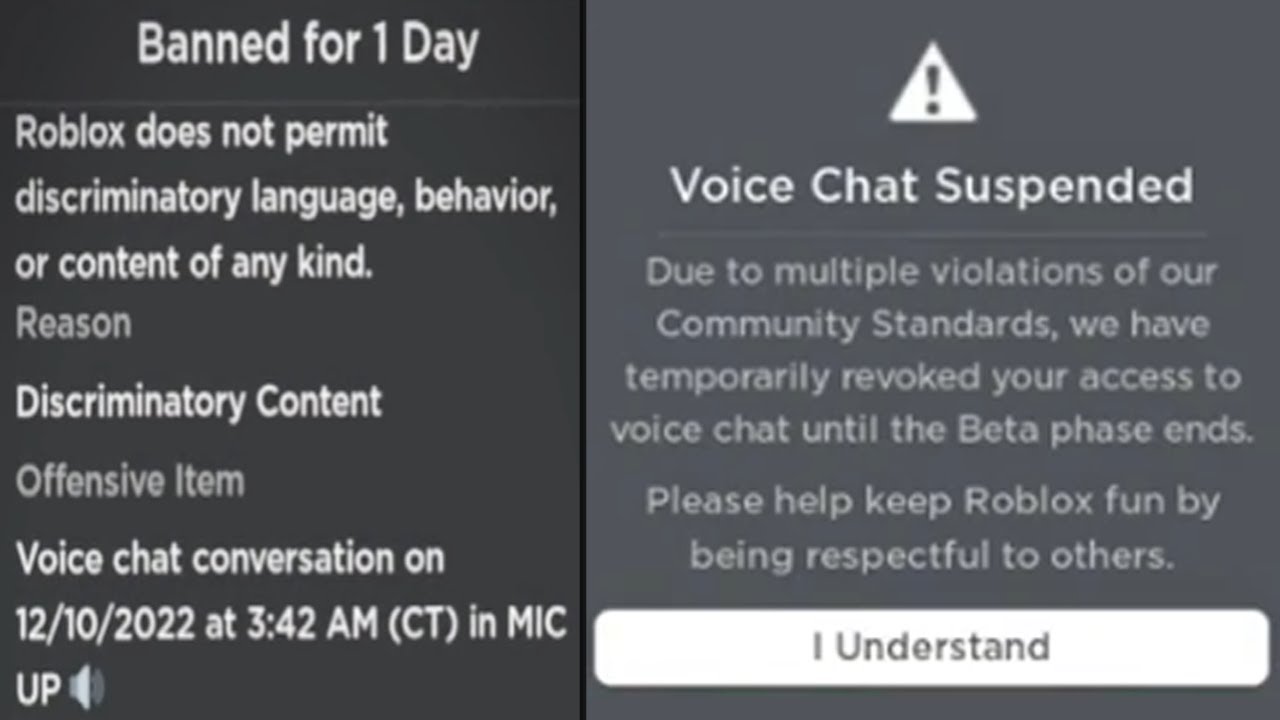
The duration of a Roblox voice chat ban varies depending on the severity and frequency of the violation. First offenses might result in a temporary ban, typically a few days or a week. Repeated or severe breaches of Roblox's Community Standards, particularly regarding appropriate communication, can lead to longer suspensions, permanent voice chat removal, or even a full account ban. Roblox notifies users of ban durations.
Is Roblox voice chat available on all devices and games?
Roblox voice chat (Spatial Voice) is available on most major platforms, including PC, Mac, iOS, and Android devices, provided your device has a working microphone. However, it is not available in all Roblox experiences. Game developers must explicitly enable Spatial Voice within their specific game. Always look for the microphone icon in an experience to confirm its availability.
Gaming is more than just a pastime for many of us; it's a vital way to unwind, connect with friends, and even sharpen our minds after a long day of work and family responsibilities. For the average US gamer, who might be around 36 years old and dedicates over 10 hours a week to their passion, social interaction within games is a huge draw. In fact, recent data shows that 87% of regular gamers engage in social aspects of gaming. That's why when you jump into Roblox, a platform celebrated for its diverse experiences and community, and find yourself thinking, "why cant i use voice chat on roblox?" it can be incredibly frustrating. You want to strategize with teammates, share a laugh with friends, or simply immerse yourself deeper into a virtual world, but silent communication just isn't cutting it. Whether you're a seasoned player or a parent trying to understand your kid's gaming, navigating voice chat issues can feel like another chore. But don't worry, you are not alone in this. Many gamers encounter similar roadblocks, especially with features like Roblox's spatial voice chat. This comprehensive guide is designed for you. We'll cut through the confusion, offering clear, actionable steps to troubleshoot and fix common problems, helping you get back to what matters most: enjoying seamless, social gaming. Let's get your voice heard in Roblox.
What is Roblox Voice Chat and Why Can't Everyone Use It?
Roblox voice chat, officially known as Spatial Voice, allows players to communicate naturally with others in proximity within supported experiences. It creates a more immersive and interactive environment, moving beyond traditional text chat. Unlike text chat, which is available to all users with varying restrictions, Spatial Voice has specific eligibility criteria designed to ensure a safer experience, especially for its younger user base, while also appealing to the growing demographic of adult gamers who appreciate deeper social engagement. For many adult gamers who balance work and life, spatial voice offers a convenient way to socialize and de-stress, making the inability to use it a real buzzkill.
Is Your Age Verified? The First Step to Unlocking Roblox Voice Chat.
The primary reason many players ask "why cant i use voice chat on roblox" often comes down to age verification. Roblox requires users to be at least 13 years old to use voice chat. More importantly, to access Spatial Voice, your account needs to have a verified age of 13+. This isn't just a simple birthday entry; Roblox employs a robust ID verification system. You'll typically need to provide a valid government-issued ID (like a driver's license or passport) and a selfie for comparison. This process ensures compliance with online safety regulations and creates a more mature environment for voice communication. For busy adults, this extra step might seem cumbersome, but it's a one-time process designed to keep the platform safer for everyone, including you.
Steps for Age Verification:
- Navigate to your Roblox account settings.
- Look for the "Verify My Age" or similar option under Account Info.
- Follow the prompts, which will likely direct you to an external verification service.
- Prepare a government-issued photo ID and be ready to take a live selfie.
- Once submitted, the verification typically takes a few minutes to process.
Diving Into Roblox Privacy Settings: Are You Opted In?
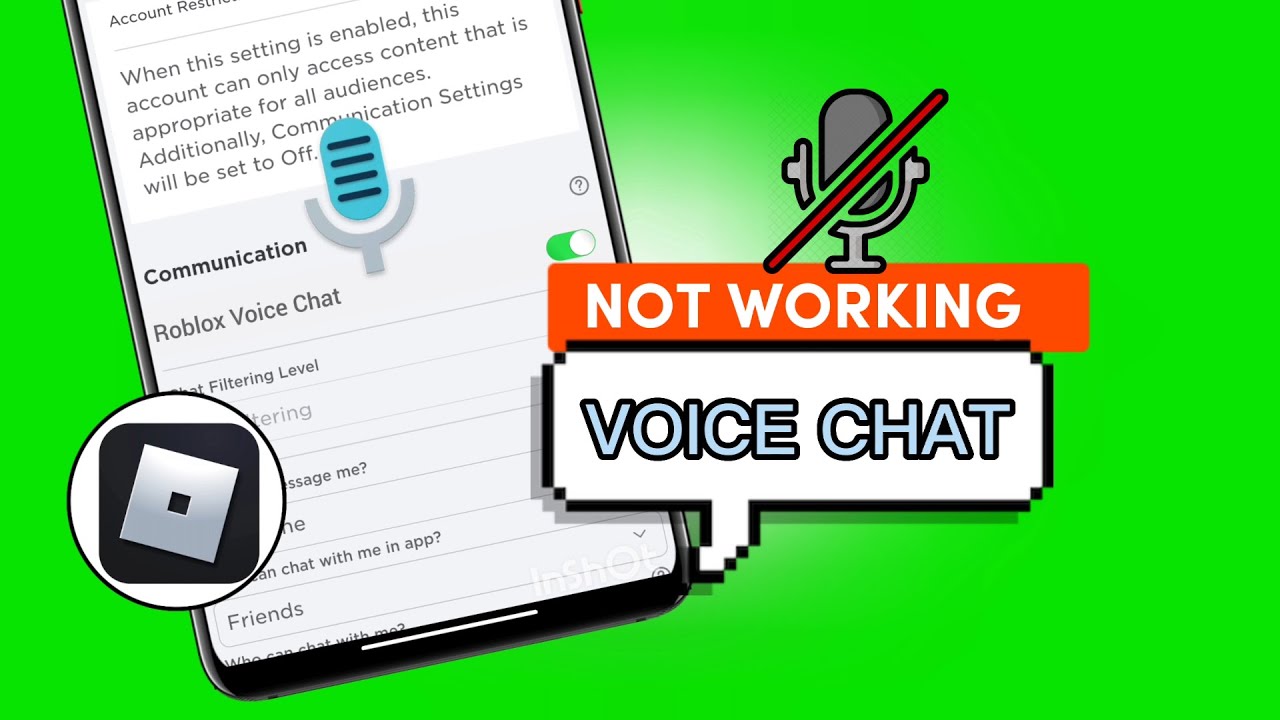
Even with age verification, voice chat won't work if it's not enabled in your privacy settings. Roblox provides granular control over who can interact with you and how. Sometimes, these settings might be more restrictive by default or have been changed unknowingly. This is a common pitfall for gamers who are troubleshooting why cant i use voice chat on roblox.
To check and adjust your settings:
- Go to your Account Settings.
- Select "Privacy."
- Look for the "Enable Voice Chat" toggle. Ensure it's switched to "On" or green.
- Also, check "Who can chat with me?" and ensure it's not set to "No One" if you want to communicate.
If you're using a child's account or your own account is under parental controls, these settings might be locked or managed by a guardian. This month, we've seen a trend of increased focus on digital well-being tools, making it crucial to understand how these settings impact your ability to engage socially.
Microphone Malfunctions: Troubleshooting Your Audio Setup.
It's not always Roblox; sometimes the issue is closer to home: your microphone. A non-functioning mic is a frequent culprit behind "why cant i use voice chat on roblox." For many gamers, troubleshooting hardware can be a pain point, especially when you just want to jump into a game.
Here's a checklist to run through:
- Physical Connection: Is your microphone securely plugged in? If it's wireless, is it charged and paired correctly?
- System Sound Settings:
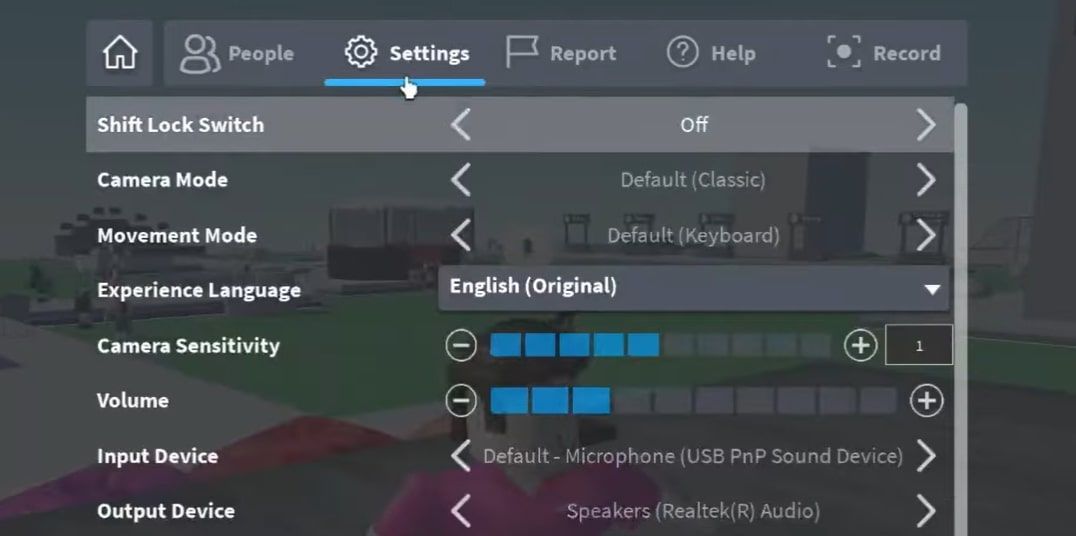
- Windows: Go to Sound Settings > Input. Ensure your preferred microphone is selected as the default device and that its volume is turned up.
- Mac: System Settings > Sound > Input. Select your mic and check input volume.
- Mobile: Check app permissions for Roblox to access the microphone in your device's settings.
- Roblox In-Game Settings: Some Roblox experiences might have their own audio input selectors. Look for an audio or voice chat section within the game's menu to ensure the correct microphone is chosen.
- Test Your Mic: Use another application like Discord, Zoom, or your operating system's sound recorder to confirm your microphone is working outside of Roblox. This helps isolate whether the issue is Roblox-specific or a broader system problem.
- Drivers: Ensure your audio drivers are up to date. Outdated drivers can cause unexpected issues.
Are You Banned or Restricted? Checking Your Account Standing.
Roblox has a strict code of conduct, and violations can lead to temporary or permanent restrictions, including voice chat access. If you're pondering "why cant i use voice chat on roblox" and you've recently had an interaction that might have crossed the line, this could be the reason. Roblox is proactive about maintaining a safe and respectful environment, especially with its recent push for social responsibility in online gaming, a trend particularly noted this month across various platforms.
How to check your account status:
- You'll typically receive a notification or message within Roblox if your account has been moderated.
- Check your messages or notifications area on the Roblox website.
- If you suspect a ban, review Roblox's Community Standards to understand potential violations.
Temporary voice chat bans can vary in duration, usually starting from a few days to a week. Repeated offenses can lead to longer bans or even permanent removal of voice chat privileges. This is crucial for adult gamers who value a fair and moderated playing field.
Game-Specific Restrictions: Not All Roblox Experiences Support Voice Chat.
One common misconception is that once you have Spatial Voice enabled on your account, it works everywhere. This is not true. Developers of individual Roblox experiences have the option to enable or disable Spatial Voice within their games. If you're asking "why cant i use voice chat on roblox" in a particular game, it might simply be that the game doesn't support it.
- Look for a microphone icon in the top-right corner of your screen when in a Roblox experience. If it's not there, or if it's grayed out, the game likely doesn't support Spatial Voice.
- Check the game's description or "About" section for information on voice chat support.
- Many social and hangout games are more likely to implement voice chat, while competitive or story-driven experiences might opt out to maintain focus or specific game mechanics.
This flexibility allows creators to tailor their experiences, but it means you need to be aware that voice chat isn't a universal feature across all Roblox worlds.
Network & Software Glitches: The Tech Side of Roblox Voice Chat Problems.
Sometimes, the issue isn't with your settings or mic, but with the broader technical environment. Network instability or software conflicts can prevent voice chat from functioning correctly. For gamers who enjoy platforms like Roblox on the go, especially given mobile gaming's dominance where network conditions vary, these factors are key to understanding "why cant i use voice chat on roblox."
Consider these technical checks:
- Internet Connection: A stable, fast internet connection is crucial for real-time communication. Try resetting your router and modem. If on Wi-Fi, try moving closer to your router or using a wired connection.
- Firewall/Antivirus: Your security software might be blocking Roblox's voice chat ports. Ensure Roblox is whitelisted or temporarily disable your firewall to test if it resolves the issue. (Remember to re-enable it afterward!)
- Roblox Client Updates: Ensure your Roblox client is fully updated. Outdated game clients can lead to compatibility issues with new features like Spatial Voice. Roblox usually auto-updates, but a manual check or reinstall can ensure you have the latest version.
- Background Applications: Other applications running in the background might be hogging bandwidth or conflicting with your audio setup. Close unnecessary programs before launching Roblox.
Advanced Troubleshooting for Persistent Voice Chat Issues.
If you've gone through all the basic checks and are still wondering "why cant i use voice chat on roblox," it might be time for more intensive solutions. These steps are for when you've exhausted the common fixes and need to dig a bit deeper.
Here are some advanced options:
- Reinstall Roblox: A fresh installation can often resolve corrupted files or lingering software glitches. Completely uninstall Roblox, restart your computer, and then download and install the client again from the official website. This can be a hassle for busy gamers, but it often works wonders.
- Clear Roblox Cache: Corrupted cache files can sometimes interfere with game functions. You can often find cache files in your AppData (Windows) or Library (Mac) folders. Search online for specific instructions on how to safely clear Roblox cache for your operating system.
- Run Roblox as Administrator: On Windows, right-clicking the Roblox player icon and selecting "Run as administrator" can sometimes grant it the necessary permissions to access your microphone and network resources without interference.
- Contact Roblox Support: If all else fails, reaching out to Roblox's official support team is your best bet. Provide them with as much detail as possible about your issue, the steps you've already taken, and your account information. They have access to diagnostic tools and can offer personalized assistance.
Maximizing Your Social Gaming Experience with Voice Chat.
Once you've resolved why cant i use voice chat on roblox, the real fun begins! Voice chat transforms your Roblox experience, making social play more dynamic and engaging. For adult gamers, this means deeper connections with friends, better coordination in team-based games, and simply more enjoyable, spontaneous interactions. Remember, safe and respectful communication is key. Always be mindful of Roblox's community guidelines even when using voice chat. Dive into popular social hubs, role-playing games, or competitive experiences where voice chat thrives, and discover a whole new layer of immersion. This month, games that foster strong social elements continue to top charts, highlighting the importance of features like Spatial Voice.
Conclusion
It can be truly frustrating when you're ready to dive into the vibrant social world of Roblox, but voice chat seems out of reach. We've explored the core reasons why you might be asking "why cant i use voice chat on roblox" and provided a comprehensive toolkit of solutions, from confirming your age and tweaking privacy settings to troubleshooting microphone issues and understanding game-specific limitations. By systematically addressing these potential roadblocks, you can unlock a richer, more interactive gaming experience. Whether you're a parent ensuring a safe environment or an adult gamer looking for deeper connection, getting voice chat working streamlines your fun and connection. Don't let technical glitches keep you from enjoying the full social potential of Roblox.
What's your biggest gaming challenge when it comes to social features? Comment below!
FAQ Section
Here are some quick answers to common questions about Roblox voice chat:
Is Roblox voice chat free to use?
Yes, Roblox voice chat, or Spatial Voice, is completely free to use once you meet the age verification requirements and have it enabled in your settings. There are no additional costs or Robux purchases required to access this feature.
Can I use Roblox voice chat on mobile devices?
Absolutely! Roblox Spatial Voice is designed to work across various platforms, including iOS and Android mobile devices, as long as the device has a functioning microphone and you meet all other eligibility criteria. Mobile gaming's prevalence means Roblox prioritizes cross-platform functionality.
What if my microphone icon is grayed out in a Roblox game?
If your microphone icon appears grayed out, it typically means the specific Roblox experience you are in does not support Spatial Voice. It could also indicate a broader account issue, but check game support first. Not all developers integrate voice chat into their creations.
How do I know if my age verification was successful on Roblox?
You can check your age verification status in your Roblox account settings under "Account Info." If successful, it will typically show your age as "13+" or "17+" and confirm the verification process is complete. You will also usually receive an in-app notification.
Can I turn off voice chat for specific players in Roblox?
Yes, you can mute individual players in Roblox experiences that support Spatial Voice. Simply click on their avatar or username to bring up interaction options, which should include a mute button. This allows for personalized control over your in-game audio experience.
Does Roblox voice chat work with all headsets?
Roblox voice chat should work with any standard headset or microphone that is properly recognized and configured by your device's operating system. Ensure your headset is set as the default input device in your system sound settings for optimal compatibility.
Age verification requirements for Roblox voice chat, Managing Roblox privacy settings, Troubleshooting common microphone problems, Understanding Roblox account restrictions, Checking game specific voice chat support, Steps to enable spatial voice, Parental control impact on voice chat.
35


Why Won T My Roblox Voice Chat Work Simple Fixes . Turn On Voice Chat In Roblox How To USE Voice Chat In Roblox IPad . Why Won T My Roblox Voice Chat Work Simple Fixes . Why Won T My Roblox Voice Chat Work Simple Fixes Roblox Voice Chat Not Working . How To Get Voice Chat On Roblox 2026 Enable VC Without ID Izoate How To Enable Voice Chat In Roblox 2026


Why Won T My Roblox Voice Chat Work Simple Fixes . Why Won T My Roblox Voice Chat Work Simple Fixes . How To Message On Roblox 2026 A Quick Guide . Roblox On Xbox Can You Chat With Your Voice . Roblox Voice Chat Not Working Lets Fix It




Why Can T I Hear Anyone On Roblox Voice Chat 2026 Fix . How To Use Voice Chat In Roblox Laptop PC 2026 Full Guide YouTube . Silence The Chat Disabling Roblox Voice 11 Turn The Volume Up By Clicking The Plus Icon Next To It . Why Won T My Roblox Voice Chat Work Simple Fixes . Why Won T My Roblox Voice Chat Work Simple Fixes




Why Won T My Roblox Voice Chat Work Simple Fixes . Why Is My Roblox Voice Chat Not Working On PC What To DO YouTube . Why Won T My Roblox Voice Chat Work Simple Fixes . Why Won T My Roblox Voice Chat Work Simple Fixes . Why Won T My Roblox Voice Chat Work Simple Fixes

Roblox Chat Problems Lets Get You Talking . How To Get Voice Chat On Roblox 2026 YouTube . How To Get Voice Chat In Roblox . Roblox On Xbox Can You Chat With Your Voice . How To Check If You Have A Module Installed In Python Dibujos Cute



Why Won T My Roblox Voice Chat Work Simple Fixes 2 406x500 . Why Won T My Roblox Voice Chat Work Simple Fixes PC Mobile How To Get Voice Chat On Roblox . Why Won T My Roblox Voice Chat Work Simple Fixes . Why Won T My Roblox Voice Chat Work Simple Fixes . Why Won T My Roblox Voice Chat Work Simple Fixes




Why Can T I Hear Anyone On Roblox Voice Chat 2025 YouTube . How To Get Voice Chat On Roblox WITHOUT ID 2026 Mobile PC YouTube . Chatting On Roblox Console Edition Enable Voice Chat Roblox Steps . Silence The Chatter Roblox Chat On Xbox . How To Enable Voice Chat In Roblox The Ultimate Guide For Gamers The AD 4nXf